

Navigating Xi’an: A Traveler’s Guide to Mastering China’s Payment Apps
Landing in Xi’an for the first time, I was buzzing with excitement to explore the Terracotta Army, cycle on the ancient city walls, and lose myself in the bustling Muslim Quarter. But within an hour of arriving, reality hit: I stood in a 7-Eleven, wallet stuffed with cash, staring at a cashier who shook her head and pointed to a QR code plastered on the counter. “WeChat or Alipay only,” she said, smiling but firm. Cue a mini panic—How am I going to buy water? Or pay for a taxi?
Turns out, I’d underestimated just how cashless China has become. By the end of my week in Xi’an, though, I’d not only survived but thrived, thanks to two apps: WeChat pay and Alipay. If you’re heading to Xi’an (or anywhere in China), here’s your no-BS guide to using these payment apps—straight from a traveler who’s been through the wringer.
First Things First: Why You Need a Chinese Payment App
Let’s get this straight: while some big hotels or tourist spots might take cash, most local businesses—from street food stalls to tiny noodle shops to the metro—only accept mobile payments. Carrying cash is fine for emergencies, but relying on it will leave you frustrated (and probably hungry).
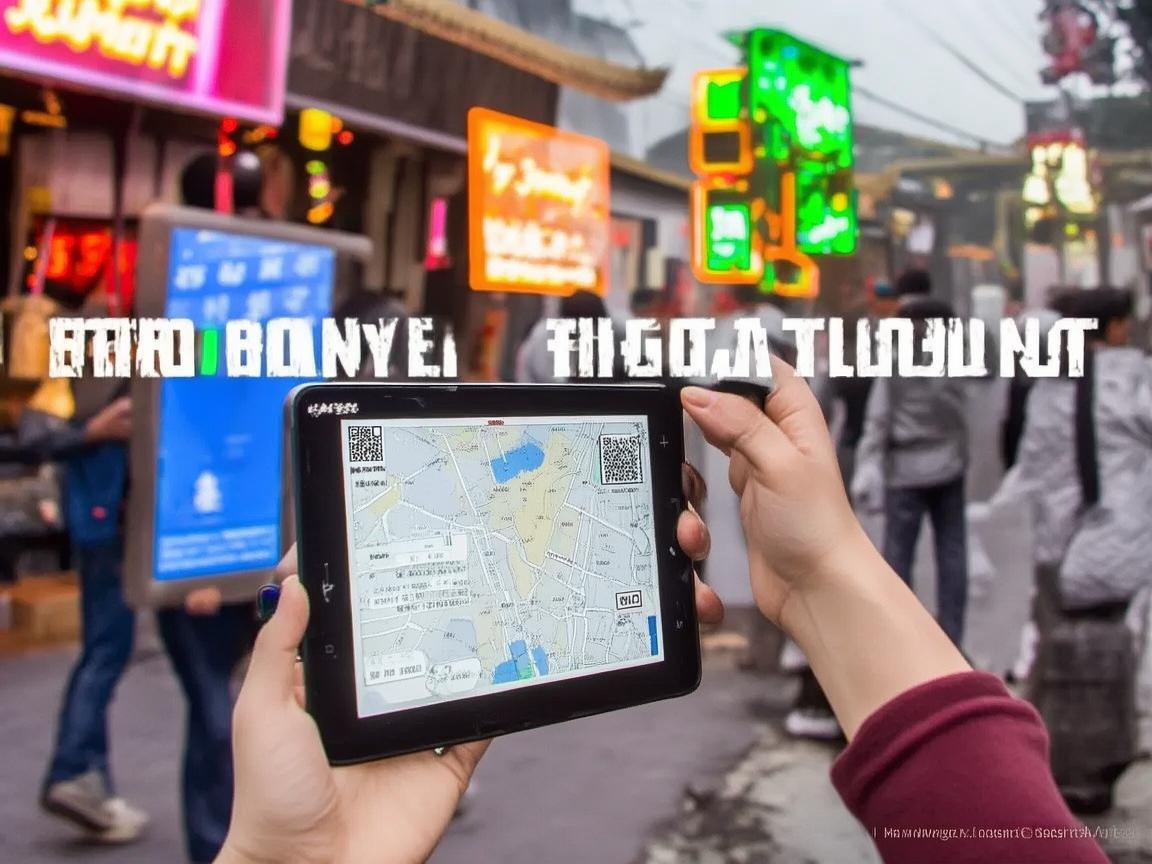
Navigating Xi’an: A Traveler’s Guide to Mastering China’s Payment Apps
I learned this the hard way on my first day. After checking into my hostel, I wandered to a nearby market for lunch. The vendor, an elderly lady selling roujiamo (Xi’an’s famous “Chinese hamburgers”), pointed to a laminated QR code when I offered her a 10-yuan bill. She didn’t speak English, and my Mandarin is limited to “ni hao” and “duoshao qian?” (hello, how much?). I stood there, red-faced, until a fellow traveler tapped my shoulder and showed me how to scan her WeChat code. Lesson learned: download these apps before you even leave the airport.
Step 1: Choose Your App—WeChat Pay vs. Alipay
In China, you’ve got two main players: WeChat Pay and Alipay. Both work similarly, but here’s the gist for travelers:
- WeChat Pay: Integrated into WeChat (China’s super-app, like WhatsApp + Instagram + PayPal). If you plan to message friends, use social media, or call taxis via WeChat, this is your go-to. It’s super convenient because you don’t need to switch between apps.
- Alipay: Owned by Alibaba, it’s more like a digital wallet. Great for online shopping, booking tickets, or paying for services like bike rentals. Some older vendors might prefer Alipay, but honestly, most accept both.
Pro tip: Download both! I used WeChat 90% of the time (since I already used it to chat with my hostel mates), but Alipay came in handy for booking Terracotta Army tickets online.
Step 2: Set Up Your Account (No Chinese Phone Number? No Problem!)
Here’s where most travelers get stuck: “But I don’t have a Chinese phone number!” Don’t worry—you can still register with a foreign number. Here’s how, step by step:
For WeChat Pay:
- Open WeChat and go to “Me” (bottom right corner).
- Tap “Services” (it’s a grid of icons), then “Wallet.”
- When prompted to link a payment method, select “Add Bank Card” (don’t worry—you’re adding a payment method, not a physical Chinese bank).
- Choose “Foreign Card” and enter your details: your name (as on your card), card number, expiry date, and CVV.
- Verify your identity: You’ll need to upload a photo of your passport and a selfie. This takes 1–2 days to approve (do it before you arrive in China!).
For Alipay:
- Open Alipay and tap “Me” (top right).
- Go to “Profile” > “Payment Methods” > “Add Bank Card.”
- Select “International Card” and enter your credit/debit info.
- Verify your identity: Alipay may ask for your passport and a selfie, similar to WeChat.
Key note: You must link a foreign credit/debit card (Visa, Mastercard, etc.)—you can’t just add cash without a Chinese bank account. I used my Visa, and it worked like a charm.
Step 3: Top Up Your Balance (Or Skip It—Direct Debit Works Too!)
Once your card is linked, you can either:
- Top up: Add money from your card to your WeChat/Alipay balance (like a prepaid wallet). This is handy if you’re worried about foreign transaction fees, but…
- Pay directly: Most vendors let you pay directly from your linked card without topping up. I did this 90% of the time—just scan the code, confirm the payment, and the amount is charged to your card instantly. No need to keep topping up!
Pro tip: Check your bank’s foreign transaction fees before you go. My bank charged 3% per transaction, so I topped up $100 once to avoid multiple fees.
Step 4: How to Pay in Real Life (QR Codes Are Everywhere!)
Okay, you’ve set up your app—now what? Here’s how to actually use it in Xi’an:
Scanning Codes (The Most Common Way)
Nearly every vendor in Xi’an has a QR code displayed: one for WeChat (green) and one for Alipay (blue). To pay:
- Open WeChat Pay or Alipay.
- Tap the “QR” button (WeChat) or “Scan” (Alipay).
- Scan the vendor’s code.
- Enter the amount (they’ll usually tell you, or you can check the bill).
- Confirm with your fingerprint/face ID (or password if you haven’t set up biometrics).
Real-life example: At the Muslim Quarter, I bought a jianbing (savory crepe) for 8 yuan. The vendor pointed to her green WeChat code. I opened WeChat, scanned it, typed “8,” and used my fingerprint to pay. Done in 10 seconds—no fumbling for cash, no language barrier.
Showing Your Code (For Vendors Who Scan You)
Some bigger places (like malls or supermarkets) have a scanner they use to scan your code. To do this:
- In WeChat Pay: Go to “Wallet” > “QR Code.”
- In Alipay: Go to “Home” > “Show QR Code.”
- The vendor will scan your code, and the amount is deducted from your balance/card.
Transferring Money (For Splitting Bills)
Traveling with friends? Splitting bills is easy with WeChat/Alipay. Just open the app, go to “Transfers,” enter the person’s WeChat ID/phone number, and send them your share. I did this all the time with my hostel roommates—no more “who owes who” drama.
Step 5: What to Watch Out For (Avoiding Headaches)
Using payment apps in China is generally smooth, but here are a few pitfalls to avoid:
Low Balance? No Problem—Unless It’s a Tiny Vendor
Most places let you pay directly from your linked card, even if your balance is zero. But I once tried to buy a bottle of water from a street vendor, and her app only accepted topped-up balances (not direct card payments). I had to run to a nearby 7-Eleven to add money to my WeChat balance first. Moral of the story: Keep a little cash (100-200 yuan) for tiny, rural vendors, or top up your balance in advance.
Internet Access = Must-Have
You need internet to use these apps. If you don’t have a Chinese SIM card, buy a tourist eSIM online before you go (I used Airalo—cheap and easy). Alternatively, most hostels/hotels have free Wi-Fi, so you can connect there before heading out.
Security: Don’t Share Your QR Code!
Your QR code is like your credit card—never share it with strangers. I had a guy at a market try to “help” me scan my code, but I realized he was trying to scam me. Always scan their code, not the other way around.
Passwords vs. Biometrics
Set up a fingerprint or face ID for quick payments. Typing a password every time is annoying, especially when you’re in a hurry (like at a busy food stall).
Step 6: Bonus Tips for Xi’an Specifically
Xi’an is a mix of ancient history and modern tech, and the payment apps fit right in. Here’s how to use them like a local:
- At Tourist Sites: The Terracotta Army, Big Wild Goose Pagoda, and Shaanxi History Museum all let you book tickets via Alipay (just search for the attraction in the app). Skip the long lines—pay online, scan your QR code at the entrance, and you’re in!
- For Street Food: Muslim Quarter and Beilin District are food heaven. Vendors here are used to tourists—just point to what you want, show them your app’s QR code, and they’ll scan it. No need to speak Chinese!
- Transportation: The metro and buses in Xi’an use a transit card (you can buy one at stations), but if you don’t want to carry another card, you can pay via WeChat/Alipay. Just open the app, go to “Transportation” (WeChat) or “Metro/Bus” (Alipay), and scan the QR code at the turnstile. Taxis? Use Didi (China’s Uber)—you can pay directly in the app via WeChat/Alipay.
- Souvenirs: At places like the Muslim Quarter or the Shaanxi Folk Culture Village, vendors sell everything from calligraphy brushes to terracotta warrior replicas. Bargain is expected (start at 50% of their asking price), and they’ll happily take WeChat/Alipay.
Final Thoughts: You’ve Got This!
By my third day in Xi’an, using WeChat Pay felt second nature. I bought snacks, paid for bike rentals, even tipped a street performer—all with a quick scan. The key is to set up your apps before you arrive and test them out in a low-pressure environment (like your hostel).
Don’t let the tech intimidate you—Chinese payment apps are designed to be user-friendly, and most vendors are happy to help (even if there’s a language barrier). Trust me, once you’ve paid for your first roujiamo with a QR code, you’ll feel like a local.
So, download those apps, link your card, and get ready to explore Xi’an without worrying about cash. The only thing you’ll be focused on is the history, the food, and the unforgettable memories. Happy travels!
Xi’an Airport Transfer Service
Private English-speaking driver service in Xi’an operated directly by Bruce Zhang. 24/7 airport pickup and hotel transfer for foreign travelers.
Helpful for Your Trip in Xi’an
Xi’an Night Markets: A Tourist’s Guide to Navigating QR Code Payments Like a Local
2026-09-08Renting a Car in Xi’an as a Foreigner: A Practical Guide to Payments and More
2026-09-0612-Hour Xi’an Layover: A Foreigner’s Guide to Payments & Must-See Spots
2026-09-03Xi’an Travel Tips for Foreigners: Navigating Payments & Hotel Drop-offs Like a Pro
2026-09-02Your QR Payment Survival Guide for Xi’an: How to Pay Like a Local
2026-09-01Xi’an Travel Tips: Why Cash Still Matters (and Where to Use It!)
2026-08-26Macau Payment Guide for Foreign Travelers: From Cash to Apps
2026-08-19Xi’an Travel: A Tourist’s Guide to Scenic Area Payments & Tips
2026-08-13Navigating Payments in Xi’an Without a Data Plan: A Tourist’s Practical Guide
2026-08-11Smart Savings in Xi’an: A Traveler’s Guide to Education-Friendly Payment Systems
2026-08-10