

Navigating Xi’an: A Traveler’s Guide to Mastering Payments (and Avoiding Wallet Panic)
Landing in Xi’an for the first time, I was buzzing with excitement—the Terracotta Army, the Muslim Quarter’s street food, the ancient city wall at sunset. But within an hour of arriving, that buzz hit a wall: literal wallet panic. I’d grabbed a SIM card at the airport (good call), but when I tried to pay for a taxi, the driver waved my credit card away. “WeChat or Alipay,” he said, pointing to his phone. I stood there, cashless, confused, and slightly embarrassed—until a fellow traveler tapped me on the shoulder. “You need to set up a China payment gateway,” she said. “Don’t worry, it’s easier than it sounds.”
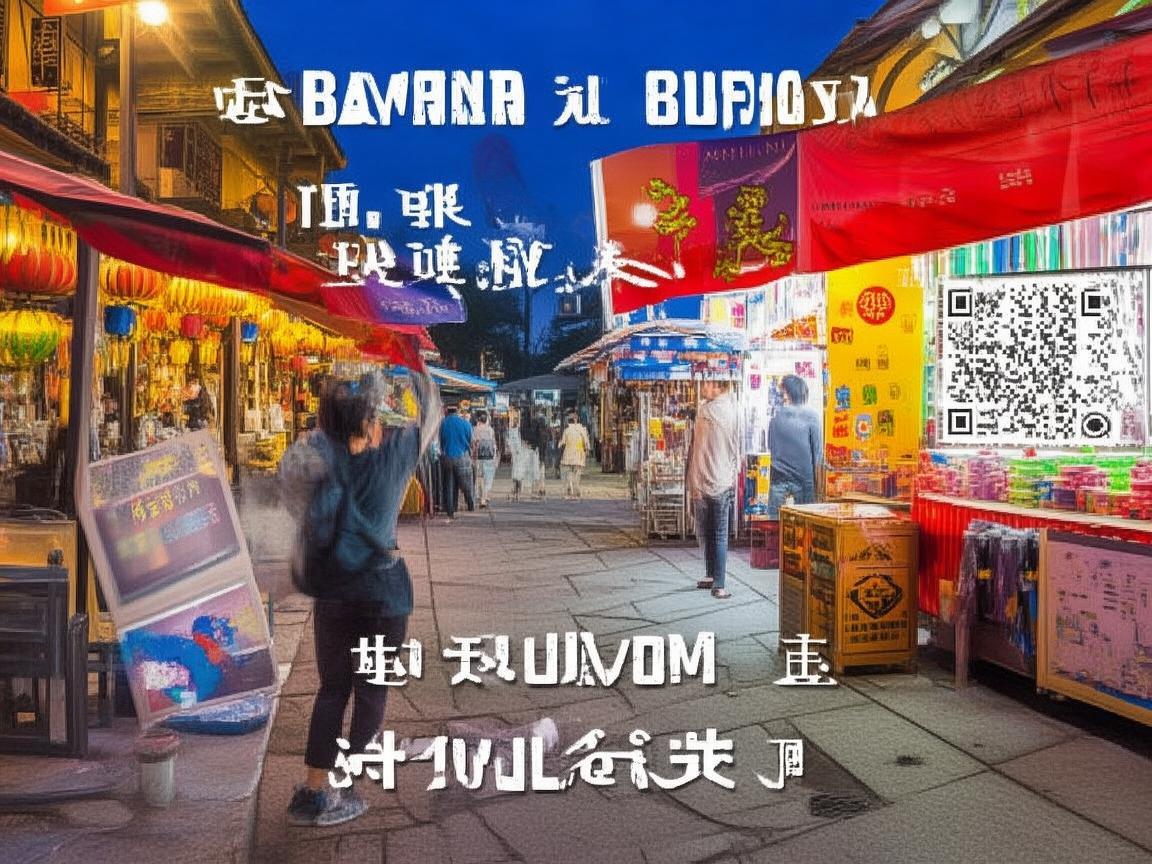
Navigating Xi’an: A Traveler’s Guide to Mastering Payments (and Avoiding Wallet Panic)
By the end of my trip, I’d not only figured out payments but also realized how much smoother everything became once I did. So, if you’re heading to Xi’an (or anywhere in China), let me save you the stress. Here’s your no-BS guide to navigating payments like a pro—because the last thing you want is to be hungry at a night market with no way to buy a roujiamo.
First Things First: What Even Is a “China Payment Gateway”?
Back home, I swiped cards, used Apple Pay, or handed over cash. In China? It’s a whole ecosystem. A “China payment gateway” isn’t one thing—it’s the system that lets foreign visitors link their international cards (Visa, Mastercard, etc.) to Chinese super-apps like WeChat pay and Alipay. These apps are everywhere: street vendors, buses, museums, even the tiny noodle shop down your alley. Without accessing them, you’ll feel like you’re trying to pay with Monopoly money.
The good news? China’s tourism industry has woken up to the fact that we foreigners exist. Setting up these gateways is now pretty straightforward—if you know the steps.
Step 1: Get Your “Golden Ticket”—Linking Your Card to WeChat or Alipay
Before you do anything, download WeChat and Alipay. Yes, both. Some places only take one (e.g., a street vendor might only have a WeChat QR code, while a mall prefers Alipay). Trust me, having both saves headaches.
For WeChat Pay:
- Open WeChat, go to “Me” (the bottom-right corner), then “Services.”
- Scroll down to “Wallet” and tap it. You’ll be prompted to verify your identity—this is key.
- Select “Add Bank Card” and enter your international card details (16-digit number, expiry date, CVV).
- For verification, you’ll need your passport number and a Chinese phone number. If you didn’t buy a local SIM at the airport, grab one at the airport kiosk (China Unicom or China Mobile are reliable; ~¥100 for 30 days with data).
- Follow the prompts: you might get a one-time SMS code from your bank back home, or a small “test charge” (e.g., $0.01) to confirm the card is yours.
For Alipay:
- Open Alipay, go to “Me,” then “Payment Settings.”
- Tap “Add Bank Card” and select “Foreign Bank Card.”
- Enter your card details and passport info. Alipay might ask you to upload a photo of your passport—just do it in a well-lit spot.
- Verification is similar: a small test charge or SMS from your bank.
Pro tip: Some cards (especially from smaller banks) might not work. If yours gets rejected, try a different one—my debit card failed, but my credit card sailed through.
Step 2: The “Oh Crap, It’s Not Working” Troubleshooting Guide
Even with the right setup, things can glitch. Here’s what to do when:
- Your card gets declined: First, check if your bank allows international transactions. Some cards block them by default—call your bank before your trip to unlock it.
- The app says “identity verification failed”: Double-check your passport number and phone number. Typos happen! If it still won’t work, try switching from WeChat to Alipay (or vice versa)—one might have stricter checks than the other.
- You can’t find the “add card” option: Update the app! Old versions sometimes hide the feature. Go to the App Store or Google Play and hit “update.”
- The QR code won’t scan: Turn up your phone brightness! Dim screens make codes hard to read. Also, make sure the vendor’s QR code is for “WeChat Pay” or “Alipay”—some places have their own custom apps (rare, but possible).
Step 3: When Cash Still Reigns Supreme (And How to Get It)
Let’s be real: not everyone takes digital payments. I learned this the hard way at a tiny breakfast stall near the Bell Tower. The owner, a sweet grandma, shook her head at my phone and pointed to a cash box. “Only cash,” she said. Cue me digging through my backpack for spare coins.
So, carry some cash—small bills (¥10, ¥20, ¥50) are best. Vendors rarely have change for ¥100 notes, and dragging around a wad of cash is risky.
Where to get cash?
- ATMs at the airport: As soon as you land, find an ATM (Bank of China, ICBC, or China Construction Bank are your safest bets). They accept international cards and dispense yuan.
- Banks in the city: If you run out, most banks exchange currency—but bring your passport! Lines can be long, so airport ATMs are easier.
- Hotels: Some hotels exchange cash, but rates are worse than ATMs. Skip unless it’s an emergency.
Step 4: Xi’an Payment Scenarios—From Street Food to the Terracotta Army
Now for the fun part: using all this in real life. Here’s what to expect in different spots:
Street Food (Muslim Quarter, Night Markets)
The vibe: Chaotic, delicious, and cash-friendly. Vendors here mostly use WeChat or Alipay QR codes—taped to their carts, tables, or even their aprons.
How to pay: Open WeChat/Alipay, tap “QR Code” (the square icon at the top of WeChat, or “扫一扫” in Alipay), and scan theirs. The amount will pop up—confirm, and you’re done! For tiny purchases (e.g., a ¥5 skewer), they might just say “don’t worry,” but it’s polite to pay.
Pro tip: Keep small bills for drinks or snacks if the line is long—scanning and waiting for confirmation can take 30 seconds, which feels like an eternity when you’re hungry.
Transportation (Taxis, Metro, Buses)
Taxis: Most drivers take WeChat or Alipay. When you get in, say “WeChat Pay, please” (or show them the app open to QR code). Some older drivers might still insist on cash—have ¥20 bills ready.
Metro/Buses: Do not pay with cash! Buy a transport card (“长安通” card) at any metro station (¥20 deposit + however much you want to load). Tap it in and out—way faster than fumbling with your phone. You can also use WeChat/Alipay’s “乘车码” (ride code): open the app, search for “乘车码,” and add the Xi’an metro/bus pass. It generates a QR code you tap at the gate.
Pro tip: Taxis in Xi’an can be hit-or-miss with meters. Insist on using the meter (“打表”) when you get in—if they refuse, find another cab.
Attractions (Terracotta Army, City Wall, Big Wild Goose Pagoda)
The vibe: Organized, digital-friendly. All major attractions take WeChat, Alipay, and sometimes credit cards (but don’t count on it).
How to pay: Buy tickets online before you go! WeChat Mini Programs (search “兵马俑门票” or “西安城墙门票”) or Alipay’s “Travel” section let you skip the ticket lines. Just show your phone confirmation at the gate. For on-site purchases (souvenirs, audio guides), use WeChat/Alipay—cash is rarely accepted.
Pro tip: The Terracotta Army is 40km outside the city center. Book a tour online or take metro Line 9 + tourist bus 5—way easier than haggling with taxis.
Restaurants (From Hole-in-the-Wall to Upscale)
Small local spots: Same as street food—scan their QR code.
Mid-range to upscale: Most take WeChat, Alipay, and credit cards. If you’re unsure, ask, “Can I pay with WeChat?” (“可以用微信支付吗?”). They’ll point to the QR code or card machine.
Pro tip: Tipping isn’t customary in China, so no need to add extra. Just pay the exact amount.
Step 5: Bonus Tips for Payment Peace of Mind
- Data is non-negotiable: You need internet to use WeChat/Alipay. If you didn’t get a local SIM, buy a portable WiFi device at the airport (¥50-100 for a week).
- Keep emergency cash: Hide a ¥200 note in your luggage—just in case your phone dies or your cards get stolen.
- Ask for help: Chinese people are incredibly helpful. If you’re stuck, tap a young person (they’re most likely to speak English) and say, “Can you help me pay? I’ll give you cash.” They’ll usually be happy to assist.
- Fraud alert: Only scan QR codes from official sources (e.g., vendors, metro gates). Random QR codes on the street? Ignore them—they could be scams.
The Bottom Line
Xi’an is a city of ancient wonders and modern convenience—and its payment system is no exception. Yes, it takes a little extra work to set up WeChat and Alipay, but once you do, you’ll feel like a local. No more fumbling for cash, no more driver eye-rolls when you pull out a Visa card. Just smooth sailing, delicious food, and memories that don’t involve wallet panic.
So, download those apps, link your card, and get ready to explore. The Terracotta Army isn’t going to visit itself—and now, neither is that perfect bowl of yangrou Paomo. Happy travels!
Xi’an Airport Transfer Service
Private English-speaking driver service in Xi’an operated directly by Bruce Zhang. 24/7 airport pickup and hotel transfer for foreign travelers.
Helpful for Your Trip in Xi’an
Xi’an Night Markets: A Tourist’s Guide to Navigating QR Code Payments Like a Local
2026-09-08Renting a Car in Xi’an as a Foreigner: A Practical Guide to Payments and More
2026-09-0612-Hour Xi’an Layover: A Foreigner’s Guide to Payments & Must-See Spots
2026-09-03Xi’an Travel Tips for Foreigners: Navigating Payments & Hotel Drop-offs Like a Pro
2026-09-02Your QR Payment Survival Guide for Xi’an: How to Pay Like a Local
2026-09-01Xi’an Travel Tips: Why Cash Still Matters (and Where to Use It!)
2026-08-26Macau Payment Guide for Foreign Travelers: From Cash to Apps
2026-08-19Xi’an Travel: A Tourist’s Guide to Scenic Area Payments & Tips
2026-08-13Navigating Payments in Xi’an Without a Data Plan: A Tourist’s Practical Guide
2026-08-11Smart Savings in Xi’an: A Traveler’s Guide to Education-Friendly Payment Systems
2026-08-10