

Xi’an on a Budget: How WeChat Scan Pay Made My Trip Effortless (and How You Can Do It Too!)
Let me start by saying this: I’m a pretty seasoned traveler. I’ve navigated night markets in Bangkok, haggled in souks in Marrakech, and figured out train systems in Tokyo. But nothing prepared me for how cashless Xi’an is. I landed at Xi’an Xianyang International Airport, dragging my suitcase, feeling confident—until I tried to buy a bottle of water and the vendor just stared at my 100-yuan bill like I’d handed her a rock. “WeChat or Alipay,” she said, pointing to a QR code on her stall. “No cash.”
Panic hit. I’d read about mobile payments in China, but I assumed I could get by with cash or my credit card. Spoiler: I couldn’t. For the next three days, I fumbled, begged strangers to help me pay and transfer them money, and almost missed out on the best lamb burgers in the Muslim Quarter. Then, a hostel friend sat me down and walked me through WeChat Pay. By the end of my trip, I was paying for bus fares, street snacks, and even entrance fees with just a scan of my phone. If you’re heading to Xi’an, let me save you the headache—here’s exactly how to use WeChat Scan Pay, step by step, and why it’ll make your trip 100x easier.
First, Why WeChat Pay? (Spoiler: It’s Everywhere)
Xi’an is a city of ancient wonders, but its daily life is hyper-modern. Even the smallest street vendor selling jianbing (Chinese crepes) or a grandma selling persimmons on a corner will have a WeChat QR code. Big attractions like the Terracotta Army, restaurants, and even the metro all prefer—or require—mobile payment. Credit cards? Rarely accepted, except in big hotels. Cash? Some places take it, but you’ll often get odd stares, and small vendors might not have change.
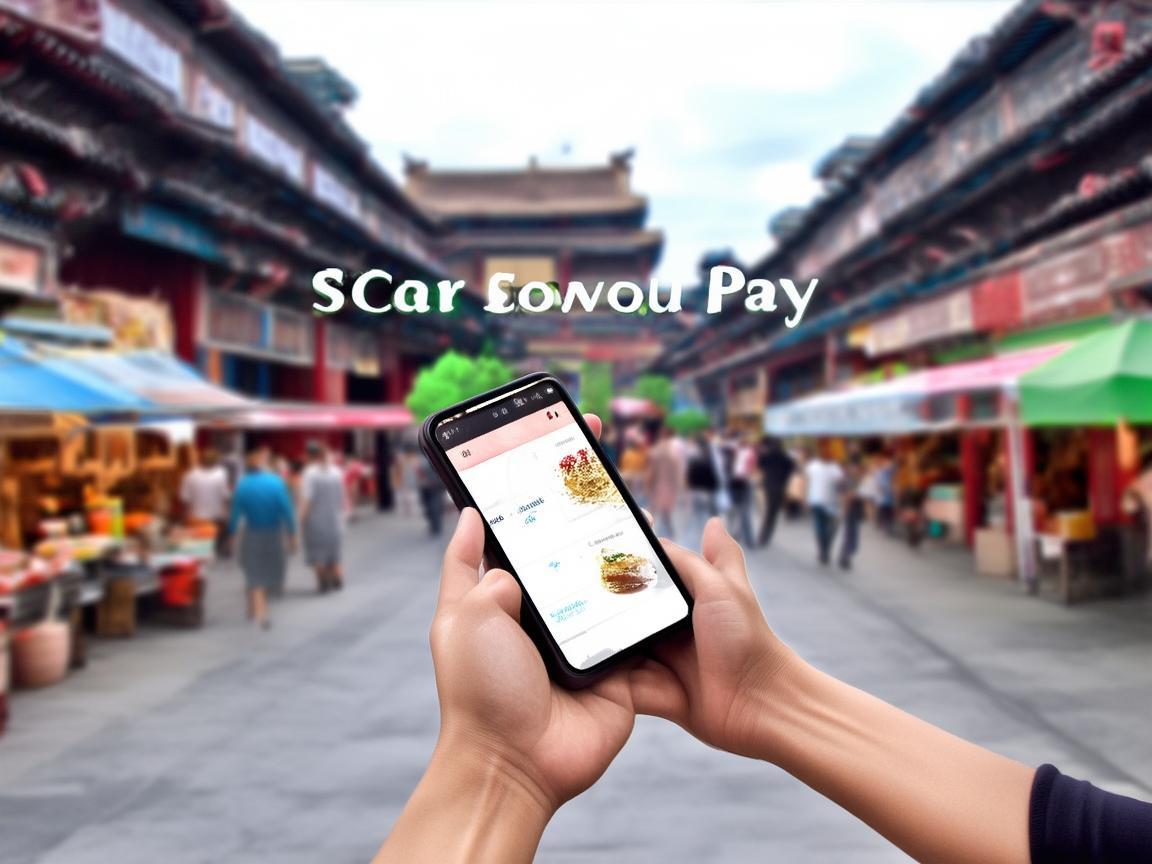
Xi’an on a Budget: How WeChat Scan Pay Made My Trip Effortless (and How You Can Do It Too!)
WeChat Pay (微信支付, Wēixìn Zhīfù) is like PayPal meets Venmo, but built into WeChat—the super app every Chinese person uses for chatting, paying bills, ordering food, and more. Once you set it up, you can pay for almost anything by scanning a QR code. No wallet, no stress.
Step 1: Get a Chinese Phone Number (Or Skip It—More on That Later)
Traditionally, you need a Chinese phone number to register WeChat Pay. But don’t panic if you’re a tourist—WeChat now lets foreigners register with a passport. Here’s how:
- Download WeChat: If you haven’t already, get it from the App Store (iOS) or Google Play (Android).
- Register an Account: Open WeChat, tap “Register,” and sign up with your phone number (if you have a Chinese one) or email/foreign number.
- Complete Real-Name Verification: This is key. Go to “Me” (bottom right) → “Services” → “Wallet” → “Security Center” → “Real Name Authentication.” Follow the prompts to upload your passport photo and fill in your details. It takes a few minutes, and you’ll get a confirmation message.
Note: If you don’t want to link your passport, some third-party services (like Trip.com or your hotel) can help you set up a “virtual” WeChat Pay, but I recommend doing it yourself—it’s faster and more reliable.
Step 2: Add Money to Your WeChat Wallet
Once your account is verified, you need to put money in your “Wallet.” Here’s the easiest way for tourists:
- Link a Foreign Credit/Debit Card: In “Wallet,” tap “Payment Methods” → “Add Bank Card.” Enter your card details (Visa/Mastercard work for most banks). You’ll need to verify the card with a small deposit (usually ¥1-¥5) from your bank, which shows up in your WeChat account within 1-2 days.
- Top Up via Alipay Transfer: Wait, what—Alipay? Yes, WeChat and Alipay are rivals, but you can transfer money between them! If you have Alipay (another popular payment app), link your card there, then transfer money to your WeChat Wallet via “Me” → “Payments” → “Transfer” → “Transfer to Alipay/WeChat.”
- Ask a Friend to “Red Packet” You: WeChat has a feature called “Red Packet” (红包), like digital gift money. If you have a Chinese friend, ask them to send you a small amount (¥10-¥50) via Red Packet—you can then use that to pay until you link your card.
Pro tip: Start with a small amount (¥100-¥200) to test. Once you’re comfortable, add more—no one wants to run out of money mid-baozi purchase!
Step 3: How to Actually Pay (It’s Super Easy)
This is the best part: paying with WeChat is simpler than using cash. Here’s what to do:
- Find the QR Code: Every vendor, restaurant, or taxi will have a QR code. It’s usually a small plastic sign or a printout—look for the green WeChat Pay logo (a green speech bubble with a “¥” sign).
- Open WeChat Pay: Open WeChat, go to “Me” → “Wallet” → “Payment.”
- Scan the Code: Tap the “Scan” icon (it looks like a QR code scanner in the top right corner). Point your phone at the vendor’s QR code.
- Confirm the Payment: The amount will pop up—check it’s correct, then enter your password (or use Face ID/Touch ID if you set it up). Done!
For small purchases (under ¥100), you might not need a password—just confirm with your fingerprint. For bigger amounts (like hotel bills), you’ll need to verify.
Where to Use WeChat Pay in Xi’an (Your Practical Guide)
Let’s get specific. Here’s where WeChat Pay saved my trip:
Street Food (The Best Part of Xi’an!)
The Muslim Quarter (回民街, Huí Mín Jiē) is a food paradise, but almost no one takes cash. I learned this the hard way when I tried to pay for roujiamo (Chinese hamburgers) with cash and the vendor just shook his head. With WeChat Pay, I ate:
- Roujiamo at 老孙家腊牛羊肉 (Old Sun’s Braised Beef & Lamb): ¥15 each, scan the code, and bite into juicy, spicy pork or beef in a fluffy bun.
- Yangrou paomo (Soup Dumping) at 同盛祥 (Tongshengxiang): A local specialty—tear bread into a bowl, add lamb soup, and dig in. ¥25 per bowl, paid via WeChat.
- Bingfeng (Ice Peaches) in the evening: Vendors push carts of frozen peaches drizzled with syrup. ¥10 each—just scan and enjoy a sweet, refreshing treat.
Tip: If a vendor’s QR code is faded or hard to scan, just show them your WeChat “收款码” (shōu kuǎn mǎ—“收款” means “receive payment,” so it’s the code they scan to get your money). They’ll appreciate it!
Attractions and Tickets
Xi’an’s top spots all use WeChat Pay for tickets:
- Terracotta Army: Buy tickets online via WeChat (search for “秦始皇陵博物院” official account) to skip the line—¥120 per ticket, scan the QR code at the entrance.
- City Wall (西安城墙): ¥54 per ticket, paid at the gate with WeChat. Rent a bike to ride around the wall (¥45 for 2 hours)—another WeChat scan.
- Big Wild Goose Pagoda (大雁塔): ¥50 per ticket, plus extra if you want to climb the pagoda.
Pro tip: Many attractions have “combo tickets” (like Terracotta Army + Huaqing Pool) that are cheaper if you buy them via WeChat. Look for the “购票” (gòu piào—“buy tickets”) button on their official WeChat accounts.
Transportation
Xi’an’s metro and buses are cashless, and taxis prefer WeChat too:
- Metro: Buy a “Xi’an Tong” card at the station (¥20 deposit + however much you want to add), but you can also pay directly with WeChat at the ticket machines—look for the “WeChat Pay” logo.
- Buses: Same as metro—use your “Xi’an Tong” card or WeChat (the machine at the front has a QR code).
- Taxis: Just tell the driver “WeChat Pay” (or show them your phone—they’ll know). Most taxis have a QR code on the dashboard.
Note: If you take a Didi (Chinese Uber), you must use WeChat or Alipay to pay. The app will link directly to your wallet—no cash needed!
Shopping and Daily Needs
From buying souvenirs at the Shaanxi History Museum to grabbing a coffee at Starbucks, WeChat Pay is king:
- Shaanxi History Museum: Tickets are ¥35 (free on Mondays, but book ahead via WeChat). Souvenirs like terracotta warrior figurines? Scan and pay—no haggling over cash.
- Convenience stores (7-Eleven, FamilyMart): Need a snack or drink? WeChat Pay at the register—super fast.
- Pharmacies: If you get sick, just scan the code at the counter to buy medicine.
What If Something Goes Wrong? (Troubleshooting Tips)
Don’t worry—WeChat Pay is pretty reliable, but here are a few hiccups I ran into and how to fix them:
- “Payment Failed” Error: This usually means you don’t enough money in your wallet. Just top up via “Wallet” → “Balance” → “Recharge.”
- No Internet? No Problem!: WeChat Pay works offline for small amounts (under ¥100). Just open the app before you go underground or to a remote area—your last payment will still go through.
- Vendor Can’t Scan Your Code: Some older vendors might have slow phones. Just ask them to “刷新” (shuāxín—“refresh”) their WeChat, or switch to their QR code (the “收款码”) and let them scan yours.
- Forgot Your Password?: Go to “Wallet” → “Security Center” → “Modify Password” and follow the reset steps (you’ll need your phone number).
My Favorite WeChat Pay Memory: Helping a Stranger
One evening, I was at the Bell Tower (钟楼), and an elderly couple from France was trying to buy a bottle of water. The vendor kept pointing to her QR code, but the couple just kept holding out cash. I walked over, scanned the code for them, and the vendor smiled and handed them the water. The couple thanked me profusely, and we ended up chatting for 10 minutes—they were so relieved to see a tourist who could help. That’s when I realized: WeChat Pay isn’t just convenient; it’s a bridge. It lets you connect with locals, share small moments, and feel like you belong, even if you don’t speak the language.
Final Thoughts: Just Do It
Xi’an is a city of contrasts—ancient walls and modern skyscrapers, history and innovation. And WeChat Pay? It’s the thread that ties it all together. It’s what lets you eat like a local, explore without stress, and focus on what matters: the food, the sights, the people.
So before you go, take 30 minutes to set up WeChat Pay. Link your card, add some money, and practice scanning a QR code. Trust me—once you do, you’ll wonder how you ever traveled without it. Xi’an is waiting, and with WeChat Pay, you’re ready to dive in. Happy travels! ???
Xi’an Airport Transfer Service
Private English-speaking driver service in Xi’an operated directly by Bruce Zhang. 24/7 airport pickup and hotel transfer for foreign travelers.
Helpful for Your Trip in Xi’an
Xi’an Travel: Your Practical ID Guide to Navigate China’s Real-World Rules
2026-07-28Xi’an Long Stay: How to Handle Payments Like a Local
2026-07-28Paying at Xi’an Clubs: A Foreigner’s No-Fluff Guide
2026-07-28Navigating Xi’an’s Metro: A Foreigner’s Practical Payment Guide
2026-07-27Navigating Xi’an: A Tourist’s Guide to Mastering Mobile Payments in China
2026-07-27Navigating Xi’an Like a Local: My Digital Pay Survival Guide
2026-07-26Xi’an Travel Tips: Cash vs. QR Codes for Entrance Tickets——A Tourist’s Practical Guide
2026-07-25Alipay for Foreign Travelers in Xi’an: A Practical Setup Guide
2026-07-25How to Survive (and Thrive) in Xi’an: A Tourist’s Guide to Digital Transactions
2026-07-24Navigating Theme Park Payments in Xi’an: A Traveler’s Practical Guide
2026-07-24