

First-Time in Xi’an: A Practical Guide Using China’s SIM Travel Integrated System
Stepping off the plane at Xi’an Xianyang International Airport, I was hit with a wave of excitement—and a little panic. I’d dreamed of visiting Xi’an for years: the Terracotta Army, the ancient city walls, the Muslim Quarter’s street food… but as a first-time traveler in China, I was overwhelmed by practical worries. How will I get from the airport to the city center? What if I can’t read the signs? How do I pay for things without Alipay or WeChat?
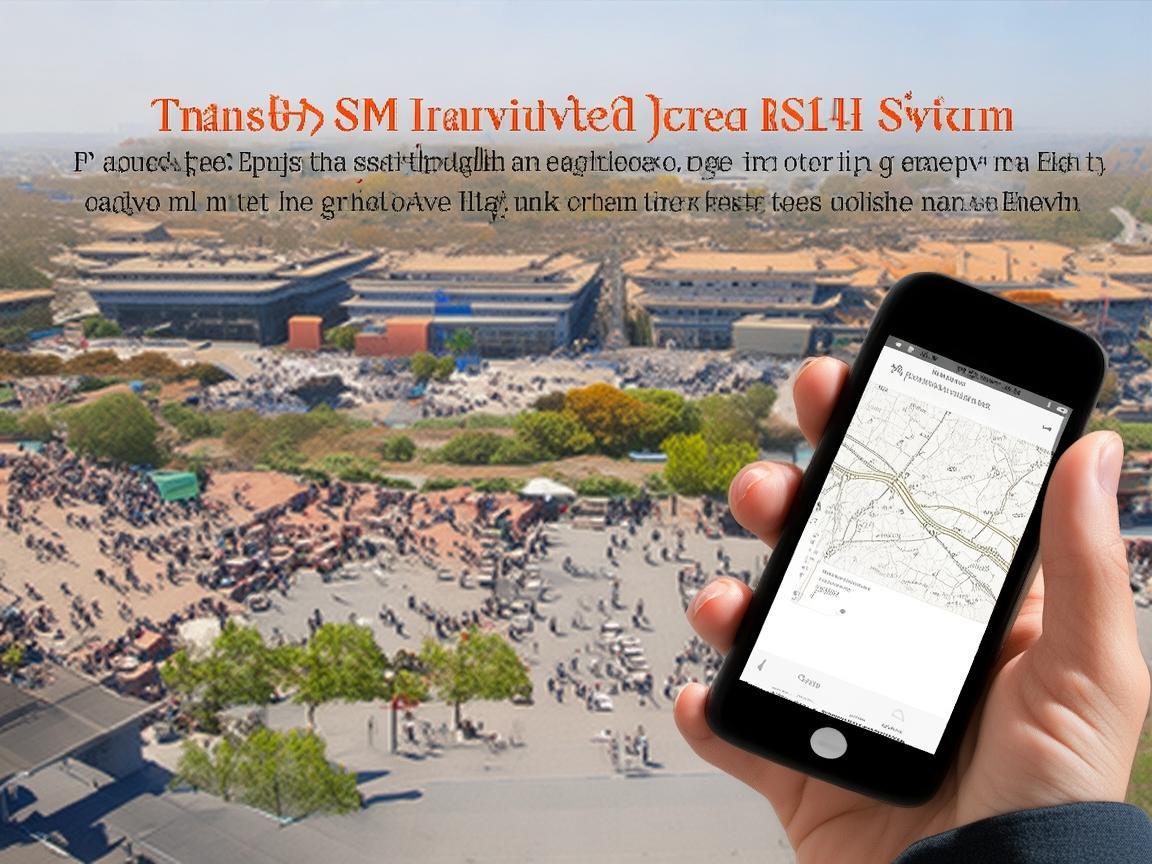
First-Time in Xi’an: A Practical Guide Using China’s SIM Travel Integrated System
Then I remembered a tip from a friend: “Get a China SIM with a travel integrated system—it’s a game-changer for first-timers.” And wow, they weren’t kidding. Over the next week, this little SIM card became my lifeline, turning potential stress into seamless adventures. If you’re planning your first trip to Xi’an, let me break down how this system works and why it’s essential—no jargon, just real talk from someone who’s been there.
First Things First: What Exactly Is the “China SIM Travel Integrated System”?
Okay, let’s start simple. A “China SIM travel integrated system” isn’t one app—it’s a package bundled into a local SIM card (or e-SIM) designed specifically for tourists. Think of it as a “travel toolkit in your pocket”: it includes fast 4G/5G data, access to key Chinese apps (like maps, payment platforms, and translation tools), and even perks like discounts on attractions or public transport.
For first-timers, the biggest hurdle is often the “Great Firewall”—many international apps (Google Maps, WhatsApp, Instagram) don’t work in China. This system solves that by pre-installing or making it easy to download Chinese equivalents: Gaode Maps (like Google Maps), WeChat (for messaging and payments), and Baidu Translate (for real-time translation). No more relying on sketchy airport Wi-Fi or struggling with VPNs!
Step 1: Getting Your SIM Card—Where and How
I landed at Terminal 3, and within 10 minutes, I had my SIM card. There are three easy ways to get one:
- At the Airport: Look for “China Mobile,” “China Unicom,” or “China Telecom” counters (they’re clearly marked in English). I went to China Mobile because their “Travel SIM” plan had great reviews. You’ll need your passport—they’ll register it on the spot (a legal requirement in China).
- At Your Hotel: Most mid-range to high-end hotels in Xi’an can help you get a SIM card (or activate an e-SIM). I stayed near the Bell Tower, and the front desk staff called a China Mobile agent who came to the hotel in 30 minutes. Super convenient if you’re jet-lagged.
- Convenience Stores: Chains like 7-Eleven or FamilyMart in tourist areas (like the Muslim Quarter) also sell SIM cards, but selection might be limited. Best for top-ups if you already have a SIM.
What to Ask For:
- A “tourist SIM” with “unlimited data” (most plans include 10-30GB of high-speed data, which is plenty for maps, apps, and social media).
- A plan that includes “international roaming” (if you need to call home).
- Bonus: Ask if it comes with a “travel package”—many include free access to airport Wi-Fi, discounts on Didi (China’s Uber), or even free entry to small museums.
I paid ¥150 (around $20) for 30 days of unlimited 5G data, 100 international minutes, and a ¥20 voucher for Didi. Bargain!
Step 2: Activating Your “Integrated” Features—This Is Where the Magic Happens
Once your SIM is in your phone, don’t just open Instagram and panic when it doesn’t load! The “integrated” part means you need to set up a few key apps to make the most of your trip. Here’s what I did, step by step:
a. Gaode Maps (高德地图)—Your Navigation Lifeline
Forget Google Maps—Gaode is China’s answer, and it’s incredibly detailed for local transit. Before I left the airport, I opened Gaode, typed “my hotel” (in English: “Bell Tower Hotel”), and it gave me three options:
- Airport Shuttle Bus: ¥25, 1 hour, drops you at the Bell Tower.
- Metro: Line 14 + Line 2, ¥6, 50 minutes.
- Didi: ¥80-100, 40 minutes (but surge pricing if it’s busy).
I chose the metro—cheap, efficient, and a great way to see the city. Gaode even showed me the exact entrance to the airport metro station, with arrows in English. Once in the city, I used it to navigate everywhere: from my hotel to the Terracotta Army (Line 9 + Line 3), to the Muslim Quarter (just a 10-minute walk), and even to hidden spots like the Small Wild Goose Pagoda (Line 2 + Line 5).
Pro Tip: Gaode has a “bus/metro” tab that shows real-time schedules—even if a train is 2 minutes late, it’ll tell you. No more guessing!
b. WeChat (微信)—Payments, Translations, and More
If you’re new to China, WeChat can feel overwhelming, but it’s essential. Here’s what I used it for every day:
- Payments: China is mostly cashless! Even street vendors at the Muslim Quarter take WeChat Pay. To set it up: Open WeChat → “Me” → “Services” → “Wallet” → “Add Bank Card.” Link your international credit/debit card (Visa/Mastercard work most places). You’ll also need to “top up” your WeChat wallet with Chinese yuan (CNY)—you can do this at any bank or convenience store (just show the WeChat top-up screen to the cashier).
- Translations: WeChat has a built-in translator. Open a chat → click the “+” → “Translate.” You can type or speak in English, and it’ll translate to Chinese (or vice versa). I used it to ask a street food vendor, “Is this spicy?” (这个辣吗?) and to confirm prices (“How much for this?” 这个多少钱?).
- Restaurant Reservations: Many popular Xi’an restaurants (like Defachang Dumplings for their baozi) only take reservations via WeChat. Just search the restaurant’s name, find their official account, and click “Book.”
c. Baidu Translate (百度翻译)—For Offline Help
While WeChat works for quick translations, Baidu Translate is better for offline use (no data needed!). I downloaded the Chinese language pack before leaving my hotel, and it was a lifesaver when I was in the Terracotta Army pit with no Wi-Fi. I could point my camera at signs (“Do not touch the artifacts”) and it would translate them instantly. It also has a “conversation” mode for real-time chats—great for bargaining at the Muslim Night Market!
Step 3: Using Your SIM for Public Transport—Cheap and Easy
Xi’an’s public transport is excellent, and your SIM makes it even easier. Here’s how I got around:
- Metro: The metro is clean, fast, and connects all major attractions. To buy a ticket: Look for the “Ticket Vending Machine” (yellow with a metro logo), select “English,” choose your destination, and pay by scanning your WeChat Pay or Alipay QR code (the machine has a scanner). No need to carry cash!
- Buses: Buses are cheaper (¥1-2) but a bit trickier to navigate. Gaode Maps shows which bus to take and where to get off. I just showed the bus driver the stop name in Chinese (written on Gaode) to confirm.
- Bike-Sharing: Xi’an has tons of shared bikes (Meituan, HelloBike) perfect for short trips. Open the app (downloadable via your SIM’s data), scan the QR code on the bike, and ride! Just remember to park in designated areas—you’ll get fined if you leave it on the sidewalk.
Money-Saving Tip: Get a “Xi’an Transportation Card” (交通卡) at any metro station. It costs ¥18 (with a ¥15 refundable deposit) and lets you ride the metro and buses at a discount. You can top it up at vending machines or convenience stores.
Step 4: Beyond Navigation—How the SIM Made My Trip Fun
The “integrated” system isn’t just about logistics—it’s about enhancing your experience. Here are two ways it surprised me:
a. Discounted Attraction Tickets
One morning, I wanted to visit the Shaanxi History Museum (famous for its Tang Dynasty artifacts). Tickets are usually ¥60, but I opened my China Mobile app and saw a “Travel Deals” section—there was a 20% discount if I booked via their platform! I scanned the QR code, paid with WeChat, and had my ticket in 2 minutes. No waiting in line!
I also found discounts for the City Wall bike rental (normally ¥45, got it for ¥30) and a night food tour in the Muslim Quarter (¥150 instead of ¥200). Just check your SIM provider’s app daily—deals pop up all the time!
b. Real-Time Travel Updates
Once, I was heading to the Terracotta Army and Gaode Maps sent me a push notification: “Line 3 is delayed due to maintenance. Alternative: Take Bus 5 + Metro 9.” It even showed me the new route with estimated arrival times. Without that, I would have been stuck for an hour!
First-Timer Mistakes to Avoid (Thanks to My SIM!)
I made a few blunders early on, but my SIM helped me fix them fast:
- Mistake 1: Trying to use a VPN. At first, I downloaded a VPN to access Google Maps, but it kept disconnecting. Then I realized Gaode was way better—no VPN needed, thanks to my SIM’s local data.
- Mistake 2: Forgetting to top up my WeChat wallet. I tried to buy roujiamo (Xi’an’s “hamburger”) and my WeChat Pay failed because I had ¥0 in my wallet. Luckily, there was a Bank of China ATM nearby (my SIM’s app showed me the closest one), and I topped up in 5 minutes.
- Mistake 3: Not downloading offline maps. One day, I wandered into a small alley near the Muslim Quarter and lost Wi-Fi. But I’d downloaded the “Xi’an City” map on Gaode (under “Offline Maps”), so I still knew where I was. Phew!
Final Thoughts: Why This System Is a First-Timer’s Best Friend
By the end of my week in Xi’an, I felt like a local—thanks entirely to the China SIM travel integrated system. It solved the biggest headaches of traveling in China: connectivity, communication, and cashless payments. I didn’t need to speak fluent Mandarin, read complex subway maps, or carry a wad of yuan. Everything I needed was in my phone, powered by that little SIM card.
If you’re heading to Xi’an (or anywhere in China), don’t overthink it—just get a tourist SIM with an integrated system. It’s affordable, easy to set up, and will turn your “first-time stress” into “first-time excitement.” Now go—those bingfeng (ice cream cones) in the Muslim Quarter won’t eat themselves!
Xi’an Airport Transfer Service
Private English-speaking driver service in Xi’an operated directly by Bruce Zhang. 24/7 airport pickup and hotel transfer for foreign travelers.
Helpful for Your Trip in Xi’an
China SIM vs. Pocket WiFi: A Traveler’s Guide for Xi’an
2026-07-29Xi’an Travel Tips: Activating Your SIM Card at China’s SIM Activation Centers
2026-07-29Unlocking Xi’an: How a China SIM Card Made My Trip Efficient and Hassle-Free
2026-07-29Xi’an Travel Tips: A Tourist’s Guide to China SIM Cards (and Why They’re a Lifesaver)
2026-07-29Traveling Xi’an Like a Local: Why a China SIM Card Is Your Ultimate Travel Lifeline
2026-07-29Your Ultimate Guide to China SIM Connectivity for a Seamless Xi’an Trip
2026-07-28Your Ultimate China SIM App Guide: Navigating Xi’an Like a Local
2026-07-27China SIM: My Lifeline for Seamless Travel in Xi’an
2026-07-27Xi’an Travel Guide: Staying Connected with China SIM for a Hassle-Free Trip
2026-07-27Navigating Xi’an: A Traveler’s SIM Card Troubleshooting Guide
2026-07-27