

Navigating Xi’an: A Traveler’s Guide to the China SIM & Travel Management System
Landing in Xi’an, my heart raced with anticipation—the ancient city’s towering city walls, the Terracotta Army’s silent majesty, the sizzle of roujiamo (Chinese hamburgers) in the Muslim Quarter. But as I stepped out of Xi’an Xianyang International Airport, my phone’s “No Service” sign felt like a cold splash of water. I’d spent weeks planning my itinerary, yet here I was, stranded in a foreign country with no way to call a taxi, translate a menu, or even check my hotel’s address. That’s when a friendly airport staff member tapped my shoulder and said, “Need a Chinese SIM? Without it, you’re lost in Xi’an.”
Over the next 10 days, I learned two hard truths: First, in China, a local SIM card isn’t just a “nice-to-have”—it’s essential for survival. Second, the “China Travel Management System” (a network of apps and policies that govern everything from health checks to train rides) is the invisible backbone of travel here. Together, they turned my chaotic first day into a seamless adventure. If you’re heading to Xi’an, let me break down exactly how to use them—no jargon, just practical tips from someone who’s been there.
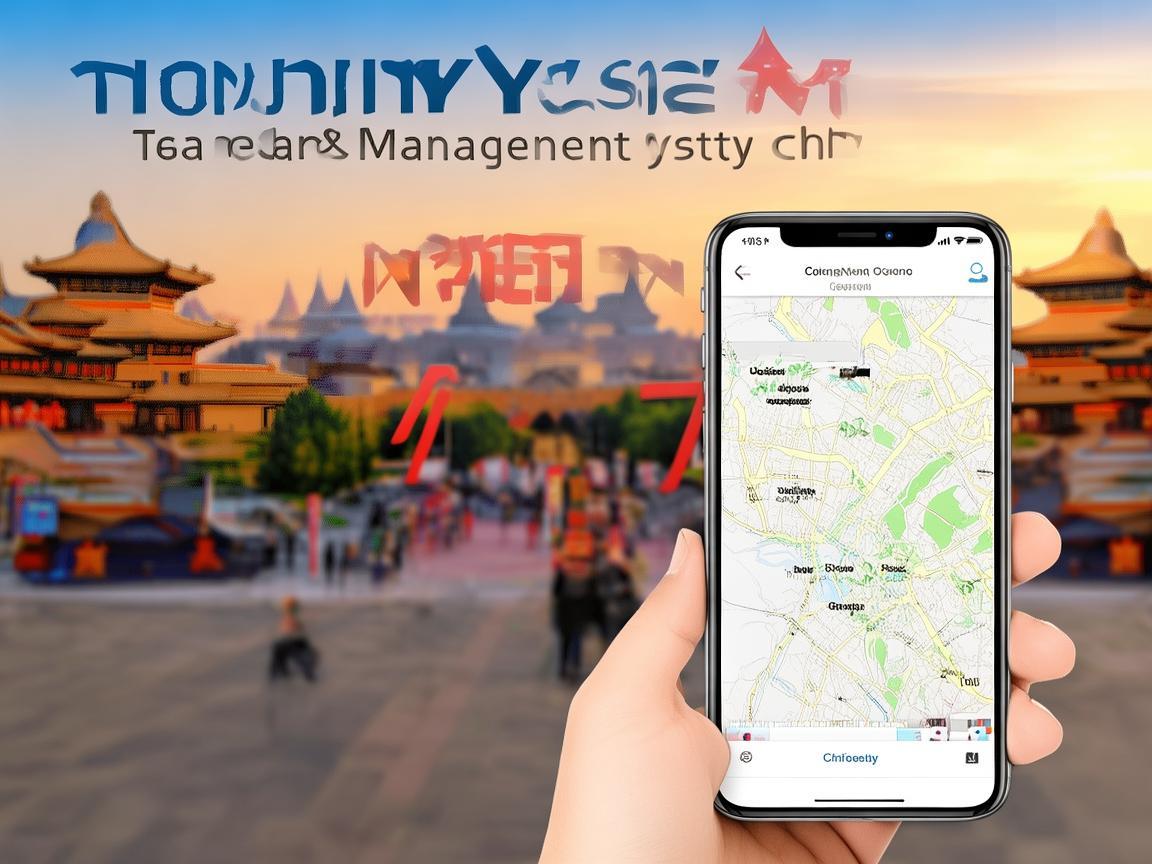
Navigating Xi’an: A Traveler’s Guide to the China SIM & Travel Management System
Why You Absolutely Need a Chinese SIM Card
Let’s start with the basics: If you’re from most countries (US, UK, EU, Australia, etc.), your home SIM card will not work in China. China’s network is heavily restricted, and foreign carriers can’t connect to local towers. I learned this the hard way when my friend, who tried to rely on roaming, got a $500 bill for 2 days of spotty data.
A local SIM solves three critical problems:
Connectivity (No VPN, No Service)
Forget using Google Maps, WhatsApp, or Instagram on foreign roaming—those apps are blocked. A Chinese SIM gives you access to local apps like WeChat (for messaging), Alipay (for payments), and Baidu Maps (for navigation). Without it, you’re stuck with offline maps (which are often outdated) and hand gestures to order food.
Affordable Data
Roaming costs are a rip-off. I saw a sign at the airport: “1GB Roaming Data = $30.” A local SIM? 10GB of high-speed data costs around $15-20/month. With that, I could stream music on the subway, video-call my family, and post Instagram Reels (using a VPN, which works fine with local data) to make everyone jealous.
Urgent Access
Lost your way? Need to call your hotel? Have a medical emergency? A local SIM lets you dial local numbers (and 112, China’s universal emergency number) without hassle. I once missed my bus to the Terracotta Army and used my SIM to book a Didi (China’s Uber) in 2 minutes—something I couldn’t have done with roaming.
How to Get a Chinese SIM Card: Your 3 Options
Xi’an makes it easy to get a SIM card, but there are a few rules you must follow. First, you’ll need your passport—no exceptions. Second, your passport must be valid for at least 6 months (if it’s expiring soon, get a new one before you go). Third, if you’re from certain countries (e.g., Pakistan, Afghanistan), you may need additional documents—check with your embassy.
Here are the best ways to get a SIM, ranked by convenience:
Option 1: At the Airport (Easiest for Short-Term Stays)
Xi’an Xianyang International Airport has counters for all three major carriers: China Mobile, China Unicom, and China Telecom. I chose China Mobile because it has the best coverage in rural areas (I planned a day trip to the Famen Temple, which is outside the city).
What to do:
- Go to the “SIM Card Service” counter (before immigration, if you want to skip lines).
- Hand your passport to the staff. They’ll ask for your name, passport number, and address in China (your hotel address works fine).
- Choose a plan. For tourists, the “Tourist Package” is best: 10GB data + 100 minutes of calls + WeChat data, valid for 7 days, for ~$10. I bought this on Day 1 and extended it later.
- Pay (cash or Alipay/WeChat), and they’ll activate the SIM on the spot. Insert it into your phone, and you’re ready to go.
Pros: No waiting, staff speak basic English, open 24/7.
Cons: Slightly more expensive than city shops.
Option 2: At a Carrier Store (Best for Long-Term Stays)
If you’re staying in Xi’an for more than a week, a carrier store in the city is cheaper. I went to a China Unicom store near the Bell Tower (downtown) on Day 3 to switch to a monthly plan.
What to do:
- Find a store (use Baidu Maps to search “中国联通” or “中国移动”).
- Bring your passport and the SIM card from the airport (if you already have one).
- Ask for the “Monthly Tourist Plan.” China Unicom’s 30-day plan gives 20GB data + 200 minutes for ~$18—way better than the airport’s 7-day deal.
- The staff will help you transfer your number (if you’re keeping the old SIM) or activate a new one. They’ll also set up WeChat data (so you can use WeChat without consuming your main data plan).
Pros: Cheaper plans, more options (e.g., adding extra data), staff can help with app setup.
Cons: Longer wait times (go on a weekday morning to avoid crowds), limited English (bring a translation app).
Option 3: Online Delivery (For the Tech-Savvy)
If you want to skip lines entirely, you can order a SIM online before you leave home. Companies like “China SIM Card” or “Lemobile” deliver to your hotel in Xi’an. I didn’t use this option, but my friend did—she ordered a China Telecom SIM on Amazon, and it arrived at her hotel on Day 2.
What to do:
- Buy a SIM on Amazon or a travel SIM website. Make sure it says “China” and “4G/5G.”
- Enter your hotel address during checkout.
- When you arrive, the SIM will be at the front desk. Activate it by scanning a QR code (instructions included) or calling the carrier’s hotline.
Pros: No need to hunt for stores, SIM arrives when you do.
Cons: Takes 2-5 days to deliver, risk of delays (e.g., customs).
The China Travel Management System: Your Digital Travel Buddy
Now, let’s talk about the “China Travel Management System.” It’s not one app—it’s a network of tools that the government uses to manage travel, health, and safety. For tourists, this means three things you’ll use every day: the Health Code, the Travel Code, and mobile payments. Don’t worry—they’re easier than they sound.
Health Code (健康码): Your “All-Access Pass”
The Health Code is a QR code that proves you’re COVID-19 negative (or at least, not a risk). You need it to enter everything: hotels, restaurants, tourist sites, even the subway. I thought it was overkill until I tried to enter the Muslim Quarter without it—security guards turned me away until I got it sorted.
How to get it:
- Open Alipay (download it from the App Store/Google Play before you go—link your foreign credit card).
- Tap the “Health Code” icon (it’s a green square with a cross).
- Select “Apply for Health Code” and enter your passport number.
- Upload a photo of your passport and a selfie (the app will match your face to the photo).
- Wait 10 minutes—you’ll get a green code (good to go), yellow (quarantine required), or red (deny entry). Green is the only one that works for tourists.
Pro tip: Screenshots don’t work—you need to show the live code in Alipay. I made the mistake of screenshotting it once, and the guard made me reopen the app.
Travel Code (行程码): Your “Where You’ve Been” Log
The Travel Code is another QR code that tracks your travel history over the past 14 days. It’s used to prevent the spread of COVID-19 from high-risk areas. I needed it to take a train from Xi’an to Luoyang (a nearby city).
How to get it:
- Open Alipay again.
- Tap the “Travel Code” icon (it’s a blue square with a plane).
- Enter your phone number (the one on your Chinese SIM) and passport number.
- The code will show your recent locations (e.g., “Xi’an, Shaanxi” for the past 7 days).
Why it matters: If you’ve been to a high-risk area (e.g., a city with a COVID outbreak), your code will turn yellow or red, and you won’t be able to enter public places. Before I traveled, I checked the news to make sure no cities near Xi’an were on the high-risk list.
Mobile Payments: Cash Is King (But Not Really)
China is a cashless society—everyone uses Alipay or WeChat pay. I brought $200 in cash, but I only used it once (to buy a watermelon from a street vendor who didn’t accept QR codes). For everything else, mobile payments are faster and safer.
How to set it up:
- Alipay: Link your foreign credit card (Visa/Mastercard) in the “My” tab. Then, go to “Payment Codes” to generate a QR code for scanning.
- WeChat Pay: Link your credit card in the “Wallet” tab. You’ll need to verify your identity (upload passport photo).
How to use it:
- At a restaurant: Open Alipay/WeChat Pay, show the QR code to the waiter, and they’ll scan it.
- At a market: Hold up your QR code, and the vendor will scan it with their phone.
- For taxis: Use Didi (China’s Uber)—pay via the app (no cash needed).
Pro tip: Tell your bank you’re traveling to China! My card got blocked twice because the bank thought it was “fraudulent activity.” I called them before I left, and it worked fine after that.
Putting It All Together: A Day in Xi’an
Let’s walk through a typical day to see how these tools work together:
Morning: Terracotta Army
- 8:00 AM: I open Baidu Maps (using my Chinese SIM data) to find the bus to the Terracotta Army. The app tells me to take Bus 5 from “Bell Tower Station.”
- 8:30 AM: I pay for the bus with Alipay (open “Payment Codes,” show the code to the driver).
- 9:00 AM: At the Terracotta Army, I show my Health Code (green) and buy a ticket (Alipay, of course).
- 12:00 PM: I’m hungry! I open Didi (using my SIM) to go to a nearby restaurant. The driver scans my Alipay QR code when I arrive.
Afternoon: Muslim Quarter
- 1:00 PM: I wander through the Muslim Quarter, eating roujiamo, tanghulu (candied fruit), and lamb skewers. Every vendor scans my Alipay QR code—no cash, no hassle.
- 3:00 PM: I want to buy a silk painting. I use WeChat Pay to pay the seller (he sends me a QR code, and I scan it).
Evening: City Wall
- 5:00 PM: I take the subway to the City Wall. I use Alipay’s “Metro Code” (a special QR code for subways) to enter the station.
- 7:00 PM: I’m tired, so I call a Didi to go back to my hotel. The driver picks me up in 5 minutes—thanks to my SIM’s GPS.
Common Problems (And How to Fix Them)
Even with the best planning, things can go wrong. Here are the issues I faced—and how I solved them:
Problem 1: “My Health Code Is Yellow!”
I woke up on Day 4 to a yellow Health Code. I panicked until I remembered I’d taken a train to Luoyang the day before. The Travel Code had updated late, so the Health Code was still “lagging.”
Fix: Open Alipay, go to “Health Code,” and tap “Refresh.” If it’s still yellow after 30 minutes, call the local COVID hotline (12320—they speak English). They’ll tell you if it’s a mistake (it often is).
Problem 2: “My SIM Card Has No Data!”
I was at the Terracotta Army and suddenly had no data. I thought I’d used up my plan, but when I checked, I still had 5GB left.
Fix: Turn your phone off and on again. Chinese SIM cards sometimes “sleep” and need a restart to connect. If that doesn’t work, go to a carrier store (they’re everywhere in Xi’an) and ask them to “reactivate” your SIM.
Problem 3: “I Can’t Add My Credit Card to Alipay!”
I tried to link my Visa card to Alipay, but it kept saying “Payment failed.”
Fix: Use a UnionPay credit card (China’s local card network). If you don’t have one, ask a friend in China to add their card to your Alipay (they can transfer money to you later). Or, buy a prepaid Alipay card at the airport (I did this—$20 gets you 150 RMB, which is enough for a few days).
Final Thoughts: You’ve Got This
By the end of my trip, I felt like a Xi’an local—thanks to my Chinese SIM and the Travel Management System. They turned potential stress (no internet, no cash, no way to enter sites) into smooth sailing. The key is to prepare before you go: download Alipay/WeChat, get a SIM at the airport, and learn how to use the Health Code.
Xi’an is a city of ancient wonders, but it’s also a modern, tech-savvy place. With the right tools, you can spend less time worrying about logistics and more time marveling at the Terracotta Army, savoring street food, and getting lost in the city’s winding hutongs.
So go ahead—book your ticket, grab a SIM, and get ready to fall in love with Xi’an. Just don’t forget to charge your phone—you’ll be using it a lot.
Xi’an Airport Transfer Service
Private English-speaking driver service in Xi’an operated directly by Bruce Zhang. 24/7 airport pickup and hotel transfer for foreign travelers.
Helpful for Your Trip in Xi’an
Surviving and Thriving in Xi’an: A Traveler’s Guide to China’s Internet Carrier
2026-09-10China SIM Verification: A Traveler’s Step-by-Step Guide (From a Xi’an Visitor’s Perspective)
2026-09-08Xi’an Travel Tips: Why China Roaming Data is Non-Negotiable for Foreign Visitors
2026-09-05Traveling Xi’an: A Tourist’s Guide to Navigating China’s SIM Authentication System
2026-09-04Your Ultimate Guide to Network Settings & China SIM Cards for a Seamless Xi’an Trip
2026-08-31Xi’an: Where Ancient History Meets Modern Connectivity – A China Traveler’s Practical Guide
2026-08-30Your Go-To Guide for China SIM Service Centers in Xi’an: Stay Connected Hassle-Free
2026-08-26Surviving Xi’an Without the Slow Lane: A Tourist’s Guide to China SIM Throttling
2026-08-11Xi’an Travel Survival Guide: How a China SIM Card and Call Center Saved My Trip
2026-08-10My Xi’an Survival Guide: Why a China SIM Card is Your Travel Lifeline
2026-08-09