

Navigating Xi’an: A Traveler’s Guide to Secure Mobile Payments
Landing in Xi’an, the ancient capital pulsing with history, I was buzzing with excitement—until I realized I’d barely touched any Chinese currency. My wallet held a few yuan, but I’d heard whispers: "Cash is king here... or is it?" As a first-time visitor, the thought of fumbling with bills, haggling in markets, or getting stranded without change stressed me out. But within 48 hours, I cracked the code: secure mobile payment. It’s not just convenient—it’s the lifeline for navigating Xi’an like a local. Let me break down how I survived (and thrived) using it, step by step.
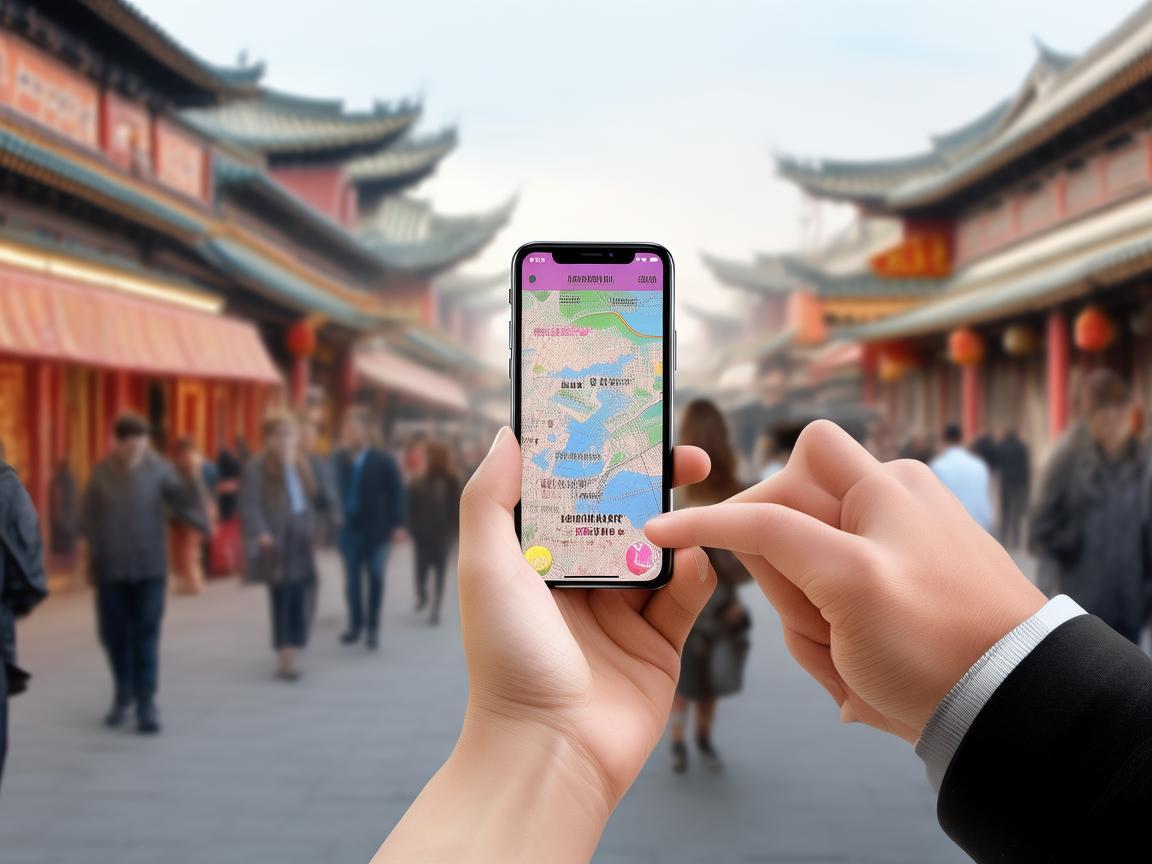
Navigating Xi’an: A Traveler’s Guide to Secure Mobile Payments
First Things First: Why Mobile Payment is Non-Negotiable in Xi’an
Before diving in, let’s address the obvious: Why bother with apps when cash works? Here’s the reality I faced:
- Cash is cumbersome: At the Muslim Quarter, a vendor selling roujiamo (Chinese burgers) waved off my 50-yuan bill for a 15-yuan snack. "No change," she said, pointing to a QR code. At the Terracotta Army, ticket lines for cash were 30 minutes long; mobile payment took 2 minutes.
- Everyone uses it: From street food vendors to subway staff, even elderly aunties selling lychees on the sidewalk had Alipay or WeChat Pay stickers. Trying to pay with cash often drew blank stares.
- Security perks: Carrying wads of cash risks theft. Mobile payments, when set up right, are safer—you can’t "lose" your phone and lose all your money at once (more on that later).
Long story short? Skip the currency exchange at the airport (the rates are terrible) and dive into mobile payments. It’s the Xi’an travel hack you didn’t know you needed.
Step 1: Choose Your Weapon—Alipay or WeChat Pay?
Two apps dominate China’s mobile payment scene: Alipay (owned by Alibaba) and WeChat Pay (owned by Tencent). As a tourist, both are essential, but they serve slightly different purposes. Here’s how I decided:
Alipay: The "All-Rounder"
I downloaded Alipay first because it’s linked to China’s "Social Credit System" (don’t panic, tourists don’t get scored—unless you break rules, but that’s another story). Its biggest perk for me? Foreign user support. When I signed up, it prompted me to verify my passport and linked my international credit card (Visa/Mastercard) directly. No Chinese bank account needed.
Key features I loved:
- Xi’an Travel Pass: In the "City Services" section, I activated a "Transport Card" that let me tap my phone to enter the subway, buses, and even some taxis. No more buying single-ride tickets!
- Scanning for everything: At the Big Wild Goose Pagoda, I scanned a QR code to buy incense sticks (avoided the ticket line). At a 7-Eleven, I scanned to pay for snacks.
- Travel insurance: Alipay offers mini travel insurance for tickets—handy if your Terracotta Army tour gets canceled!
WeChat Pay: The "Social" Choice
WeChat is China’s super app—think WhatsApp + PayPal + Instagram. I already had WeChat for messaging, so adding Pay was easy. But here’s the catch: Foreign users can’t link international cards directly to WeChat Pay. You need to:
- Link Alipay to your WeChat Pay via "Top-Up" (you can transfer money from Alipay to WeChat Pay instantly).
- Or, use a "WeChat Pay Pass"—a virtual card linked to your international card (some banks support this, but check with yours first).
Why I still used WeChat:
- Group payments: When I split a 300-yuan dinner with friends at a dumpling restaurant, WeChat’s "AA Pay" feature let me send them a request in one tap. No mental math!
- Mini-programs: Many small vendors (like the bubble tea shop near my hostel) only had WeChat QR codes. Having it saved me from awkward "Sorry, I only have Alipay" moments.
My advice: Download both. Alipay for "official" stuff (tickets, transport), WeChat for "social" stuff (eating out, splitting bills).
Step 2: Set Up Secure Mobile Payment (Don’t Skip This!)
Security is the biggest fear for tourists. What if my phone gets stolen? Can someone hack my account? Here’s how I locked down my payments—no stress, just smart steps:
Enable Biometric Login Immediately
On both Alipay and WeChat, I turned on fingerprint ID and face recognition. To do this:
- Open Alipay → Profile → Settings → Security → Login & Security → Enable Fingerprint/Face ID.
- Same for WeChat: Me → Settings → Privacy → Security → Face/Fingerprint ID.
Now, even if someone steals my phone, they can’t open the apps without my biometrics. Game over for thieves.
Set a "Payment Password" (and Change the Default)
Both apps let you add a 6-digit payment password for big transactions (over ¥500, usually). I set mine to something random—not my birthday! To change it:
- Alipay: Security → Payment Settings → Modify Payment Password.
- WeChat: Me → Wallet → Security → Payment Password → Modify.
Pro tip: Enable "Password Required for All Payments" (in Security settings). It’s a bit annoying for small buys, but worth it for peace of mind.
Use "Temporary QR Codes" for Vendors
Here’s a genius feature I didn’t know about: Instead of showing my permanent QR code (which could be screenshot and stolen), I generate a dynamic, time-sensitive code for each transaction.
- In Alipay: Home → "Scan" → "Generate QR Code" (it refreshes every few seconds).
- In WeChat: Me → Wallet → "Scan" → "Generate QR Code".
Vendors scan this code, and it expires in 60 seconds. Even if someone takes a photo, it’s useless. I used this for every street food purchase—no risk, just lamb skewers.
Link a "Travel Card" Instead of Your Main Bank Account
I added a prepaid travel card to my apps (via Alipay’s "Balance" or WeChat’s "Wallet" → "Add Money"). I loaded ¥1,000 initially—enough for 3 days of food, transport, and tickets. If my phone got stolen, the thief could only access that ¥1,000, not my entire bank account. Genius, right?
When I ran low, I just topped it up at a 7-Eleven (they accept cash for app top-ups—look for the "Alipay/WeChat Pay" sign).
Step 3: Use Mobile Payment Like a Local—Real-Life Scenarios
Theory’s great, but how did this play out in Xi’an? Let’s walk through a typical day:
Morning: Terracotta Army & Transport
I woke up, grabbed my phone, and opened Alipay’s "Transport Card"—tapped it to enter the subway (Line 9 to Line 3, 30 minutes, ¥4). No ticket machine, no fumbling. At the Terracotta Army, I scanned the QR code at the entrance (under "Tickets" in Alipay’s City Services), paid ¥120 (student discount!), and walked right in. No cash, no line.
Heads up: Some attractions (like the Shaanxi History Museum) require advance booking via their mini-program. I did this the night before in Alipay—saved me from a "sold out" sign.
Lunch: Muslim Street Street Food
Ah, the Muslim Quarter—Xi’an’s food paradise! I wanted to try biangbiang noodles, paomo (bread soup), and yangrou paomo (lamb bread soup). But most stalls had handwritten QR codes, no cash registers.
Here’s my routine:
- Open WeChat → Me → Wallet → "Generate QR Code" (temporary, of course).
- Tell the vendor: "WeChat Pay, please!" (They all understand "WeChat Pay" or "Zhifubao"—Alipay’s Chinese name).
- They scan my code, I confirm the amount on my phone (critical—avoid scams!), and done.
One time, a vendor tried to charge me ¥30 for a ¥20 bowl of noodles. I showed him my phone (where the amount was clearly ¥20), and he corrected it immediately. Mobile payments = transparency.
Afternoon: Shopping at the Grand Mosque & Huisi Temple
After lunch, I wandered to the Grand Mosque (entry ¥25, paid via Alipay mini-program). Then, I browsed the souvenir shops near Huisi Temple. I wanted a small terracotta warrior replica—¥50. The vendor handed me a laminated Alipay QR code. I scanned it, paid, and got a receipt in my Alipay "Orders" section (perfect for budget tracking!).
Tip: For big purchases (like silk or jade), ask for a "发票" (fapiao, official receipt) via the app. It’s proof of purchase, and some shops offer tax refunds (though rare for tourists, worth asking).
Evening: Hot Pot with Friends
Dinner at a hot pot place with new friends I’d met at the hostel. The bill was ¥280 total. We used WeChat’s "AA Pay":
- One person paid the full bill.
- They opened WeChat → Me → Wallet → "AA Pay" → "Split Bill".
- Entered the total (¥280), selected "Split Equally" (4 people), and sent requests to us.
- We tapped "Accept," and the money transferred instantly. No cash, no "I’ll pay you later" awkwardness.
Step 4: Security Don’ts—What I Avoided Like the Plague
Even with all these safeguards, I stayed alert. Here’s what not to do:
- Don’t use public Wi-Fi for payments: I avoided logging into Alipay/WeChat on coffee shop or hotel Wi-Fi. Hackers love unsecured networks. If I needed to top up, I used my mobile data (way safer).
- Don’t "root" or "jailbreak" your phone: It makes apps vulnerable. I kept my phone’s software updated—Apple/Android push security patches regularly.
- Don’t share your QR code: Once, a stranger asked to "borrow" my QR code to "send me money" (a common scam). I said no—legitimate transfers don’t need your QR code; they just need your phone number (via "Send Money" in the apps).
- Don’t forget to log out: If I lent my phone to a friend to show photos, I logged out of Alipay/WeChat first (Profile → Settings → Logout).
Step 5: Troubleshooting—When Things Go Wrong
No system is perfect. Here’s how I handled two hiccups:
"My Payment Failed!"
At a dumpling shop, WeChat Pay kept declining. I panicked—was my card blocked? Then I remembered: I’d used a VPN (to access Google/Instagram), and sometimes apps glitch with VPNs. I turned off the VPN, reopened WeChat, and it worked. Moral: For smooth payments, skip the VPN in apps (use it for browsing only).
"I Lost My Phone!"
Thankfully, this didn’t happen, but I tested the "remote lock" feature just in case:
- For Alipay: Log in on another device → Profile → Lost Phone → "Remote Lock" (this locks the app until you enter your password).
- For WeChat: Log in on another device → Me → Settings → Account → "Lost Mode" (locks WeChat Pay).
I also saved the customer service numbers: Alipay (9518822) and WeChat (95017). They speak English and can help freeze your account ASAP.
Final Thoughts: Mobile Payments Made Xi’an a Breeze
By the end of my trip, I was a mobile payment pro. I’d spent ¥800 total (food, transport, tickets, souvenirs) without touching a single yuan bill. No stress, no scams, just smooth sailing.
My biggest takeaway? Secure mobile payment isn’t just "convenient"—it’s essential for traveling in Xi’an. It lets you focus on what matters: biting into a crispy roujiamo, marveling at the Terracotta Army, or getting lost in the Muslim Quarter’s winding lanes.
So, download Alipay and WeChat Pay before you go. Set up security features. Load a travel card. And trust me—you’ll thank me when you’re tapping your phone into a subway car at 8 AM, not fumbling for cash. Xi’an is waiting, and with mobile payments, you’re ready to explore it like a local.
Safe travels—and happy eating! ??
Xi’an Airport Transfer Service
Private English-speaking driver service in Xi’an operated directly by Bruce Zhang. 24/7 airport pickup and hotel transfer for foreign travelers.
Helpful for Your Trip in Xi’an
Navigating Xi’an’s Metro: A Foreigner’s Practical Payment Guide
2026-07-27Navigating Xi’an: A Tourist’s Guide to Mastering Mobile Payments in China
2026-07-27Navigating Xi’an Like a Local: My Digital Pay Survival Guide
2026-07-26Xi’an Travel Tips: Cash vs. QR Codes for Entrance Tickets——A Tourist’s Practical Guide
2026-07-25Alipay for Foreign Travelers in Xi’an: A Practical Setup Guide
2026-07-25How to Survive (and Thrive) in Xi’an: A Tourist’s Guide to Digital Transactions
2026-07-24Navigating Theme Park Payments in Xi’an: A Traveler’s Practical Guide
2026-07-24Xi’an’s Convenience Stores: Your Go-To for Easy Travel Payments
2026-07-23My Cash Backup Strategy for Traveling in China: A Tourist’s Practical Guide
2026-07-22Emergency Payments in Xi’an: A Foreign Traveler’s Practical Guide
2026-07-22