

Navigating Xi’an’s Street Food Scene: A QR Pay Guide for Travelers
As a traveler who just wrapped up a five-day trip to Xi’an, I can confidently say: the city’s street food is the reason to visit. But if you’re like me—arriving with a pocketful of cash and zero clue how to pay at a bustling night market—you might panic when you see vendors flashing QR codes instead of cash registers. Fear not! By the end of my first day, I was scanning codes like a local. Here’s everything you need to know about using QR pay with street vendors in Xi’an, no Mandarin degree required.
First Things First: Why QR Pay Rules Here
Let’s get one thing straight: cash is not king in Xi’an’s street food scene. I learned this the hard way on Day 1, when I tried to buy a roujiamo (that iconic Chinese hamburger) from a vendor near the Bell Tower. I handed her a 10-yuan bill, she shook her head, and pointed to a laminated A4 sheet plastered with WeChat and Alipay QR codes. “Only QR pay,” she said, gesturing to her phone.
Turns out, over 90% of street vendors—from bingfengbing (ice cream pancakes) sellers to liangpi (cold skin noodle) carts—only accept digital payments. Carrying cash is smart for emergencies (like tiny, cash-only hole-in-the-wall shops), but for street food? QR pay is king. It’s faster, safer (no fumbling with loose change), and lets vendors track sales without a cash register.
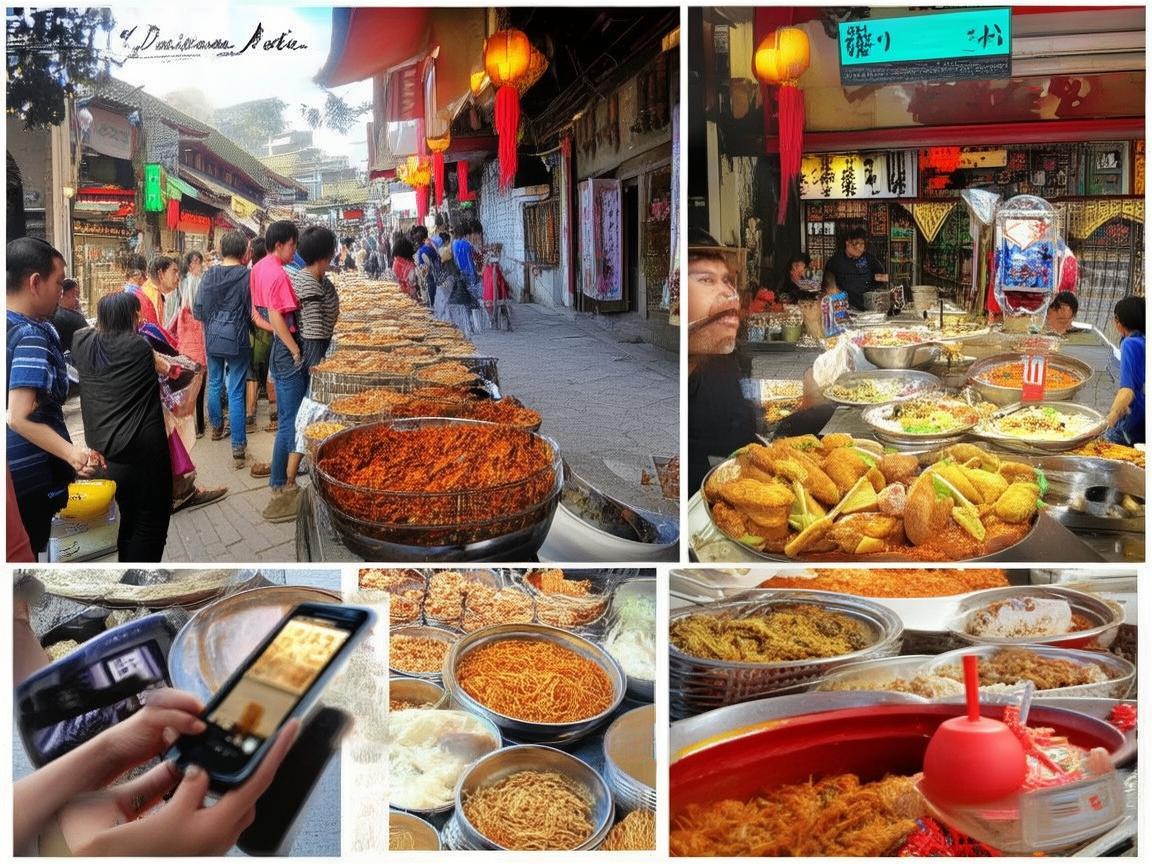
Navigating Xi’an’s Street Food Scene: A QR Pay Guide for Travelers
Step 1: Get Your QR Pay Apps Ready
Before you even think about eating, you need two apps: WeChat Pay and Alipay. Both are China’s equivalent of PayPal, and nearly every vendor accepts at least one (many take both). Here’s how to set them up:
WeChat Pay
If you already use WeChat (which most travelers do for messaging), enabling Pay is easy.
- Open WeChat, tap the “Me” tab (bottom right).
- Tap “Services,” then “Wallet.”
- Follow the prompts to link your international credit/debit card (Visa/Mastercard work for most). You’ll need to verify your identity with a passport photo—takes 5 minutes.
Pro tip: Add a small amount of money to your Wallet (like 200 RMB) so you’re not scrambling to link cards while a vendor waits.
Alipay
Alipay is similar but has a slight edge for tourists: its “Tour Pass” feature lets you add foreign cards without a Chinese bank account.
- Download Alipay from the app store (it’s separate from WeChat).
- Sign up with your phone number (use +86 + your country code).
- Go to “Profile” > “Payment Methods” > “Add Card” and link your international card.
Bonus: Alipay’s “Translate” feature (in the “Discover” tab) can scan Chinese text and translate it to English—handy for reading menu boards!
Step 2: How to Actually Pay at a Vendor’s Stall
Okay, you’ve got the apps. Now for the fun part: handing over money without cash. Here’s a step-by-step breakdown, using a real-life example from my trip:
Scenario: You’re at the Muslim Quarter (Huimin Street), eyeing a steaming basket of paomo (bread soaked in mutton soup). A vendor smiles and points to a QR code taped to her cart.
-
Find the QR Code: Vendors usually display their codes in obvious places—taped to carts, laminated and hung above stalls, or even on their phones. Look for a square black-and-white barcode with “WeChat Pay” or “Alipay” written above it. Some have two codes: one for each app.
-
Open Your App: Open WeChat Pay or Alipay. For WeChat, tap the “+” icon in the top right and select “Scan QR Code.” For Alipay, tap the camera icon on the home screen.
-
Scan the Code: Aim your phone’s camera at the vendor’s QR code. Your app should automatically recognize it and pop up a payment screen.
-
Confirm the Amount: This is critical! The app will show the price—e.g., “15 RMB.” Double-check it! Once, I scanned too quickly and almost paid 50 RMB for a 15-R jianbing (savory crepe)—luckily, I caught it before confirming.
-
Pay: For WeChat, tap “Confirm Payment” and use your fingerprint/face ID to authorize. For Alipay, do the same. If you set a small payment limit (under 1000 RMB), you might not need to enter a password—super quick!
-
Get Your Food (and a “Thank You”): Once the payment goes through, the vendor will grab your order and hand it over. Smile and say “谢谢” (xièxiè, “thank you”)—they’ll appreciate the effort!
Step 3: Troubleshooting—When QR Pay Goes Wrong
Even with the best prep, hiccaps happen. Here’s how to fix common issues:
“Payment Failed—Please Try Again”
This usually means poor internet. Muslim Quarter and other busy areas have decent 4G, but if you’re in a quieter alley, switch to your hotel’s Wi-Fi (if it’s strong enough) or use mobile data. Pro tip: Download a VPN before you travel—some apps work better with it.
“Invalid QR Code”
You might have scanned the wrong one! Vendors sometimes have multiple codes (e.g., one for WeChat, one for Alipay, or even a personal one for refunds). Ask the vendor to point to the correct code—point to their phone if they’re confused.
Vendor Doesn’t Accept Your Card
Rare, but it happens. Some older vendors only link Chinese bank accounts to their apps. If your card gets declined, pull out cash (have small bills: 5, 10, 20 RMB) or try the other app (e.g., if WeChat fails, try Alipay).
You Accidentally Paid the Wrong Amount
Don’t panic! Open the app, go to “Transaction History,” find the payment, and tap “Report Issue.” Vendors are usually honest—if you overpaid, they’ll refund you. I overpaid by 20 RMB once, and the vendor ran after me to give it back (after I showed her the transaction on my phone).
Step 4: Pro Tips for QR Pay Success
After three days of eating my way through Xi’an, I picked up a few tricks:
- Carry a Power Bank: Scanning codes and using apps drains battery. You don’t want to be stuck at a yangrou paomo stall with a dead phone.
- Save Vendor QR Codes: Love a particular bingfengbing cart? Take a photo of their QR code! Next time, you can open the photo and scan it from your camera roll (no need to hunt for them).
- Ask for a Receipt (If Needed): For big purchases (like a whole roujiamo platter), vendors might give you a digital receipt. Just say “发票” (fāpiào, “receipt”)—they’ll know what you mean.
- Use “Mini Programs” for Convenience: Some vendors use WeChat “Mini Programs” (small apps within WeChat) for orders. If a vendor hands you a QR code with a long link, scan it—it might take you to their Mini Program, where you can pick your food and pay in one go.
Step 5: Must-Try Street Foods (and Where to Find Them)
Now that you’ve mastered QR pay, here’s where to spend your money:
- Muslim Quarter (Huimin Street): The most famous spot, but touristy. Skip the first 10 stalls (they’re overpriced) and head deeper in for paomo (15 RMB), suan tang zi (sweet sour soup dumplings, 10 RMB), and niurou yangroupaomo (beef/mutton stew, 20 RMB).
- Yongxing Food Street: Less crowded than Muslim Quarter, with local favorites like hulatang (spicy soup, 8 RMB) and zhagao (fried rice cakes, 5 RMB). Vendors here are used to tourists—most have clear QR codes.
- Shuyuan Gate (Academy Gate): Near the Confucian Temple, this area is packed with students. Grab jianbing (10 RMB) or doujiang youyoutiao (soy milk with fried dough sticks, 5 RMB) from carts outside the academy.
- Night Markets (e.g., Tang West Market): Open from 6 PM to midnight, these markets have everything from bingfengbing (ice cream pancakes, 12 RMB) to grilled squid (20 RMB). Look for stalls with long lines—locals know where the good food is!
Final Thoughts: QR Pay Makes Xi’an’s Street Food Accessible
By the end of my trip, I was obsessed with QR pay. It’s not just convenient—it’s essential for enjoying Xi’an’s street food without stress. I went from fumbling with cash to scanning codes in 10 seconds flat, and I ate way more roujiamo and liangpi because of it.
So here’s my advice: download WeChat and Alipay, link your card, and dive into Xi’an’s food scene. Don’t be afraid to scan that QR code—even if you mess up, vendors are happy to help. After all, the best part of traveling isn’t just the food; it’s the moments of connection, even when you’re trying to pay for a 10-R bingfengbing with a phone.
Xi’an’s street vendors don’t just sell food—they sell memories. And with QR pay, those memories are just a scan away. Happy eating!
Xi’an Airport Transfer Service
Private English-speaking driver service in Xi’an operated directly by Bruce Zhang. 24/7 airport pickup and hotel transfer for foreign travelers.
Helpful for Your Trip in Xi’an
Navigating Xi’an’s Metro: A Foreigner’s Practical Payment Guide
2026-07-27Navigating Xi’an: A Tourist’s Guide to Mastering Mobile Payments in China
2026-07-27Navigating Xi’an Like a Local: My Digital Pay Survival Guide
2026-07-26Xi’an Travel Tips: Cash vs. QR Codes for Entrance Tickets——A Tourist’s Practical Guide
2026-07-25Alipay for Foreign Travelers in Xi’an: A Practical Setup Guide
2026-07-25How to Survive (and Thrive) in Xi’an: A Tourist’s Guide to Digital Transactions
2026-07-24Navigating Theme Park Payments in Xi’an: A Traveler’s Practical Guide
2026-07-24Xi’an’s Convenience Stores: Your Go-To for Easy Travel Payments
2026-07-23My Cash Backup Strategy for Traveling in China: A Tourist’s Practical Guide
2026-07-22Emergency Payments in Xi’an: A Foreign Traveler’s Practical Guide
2026-07-22