

Xi’an Travel Guide: How to Stay Connected with SIM/eSIM (No More Lost in the Muslim Quarter!)
Landing in Xi’an at 6 AM, bleary-eyed but buzzing with excitement, my first thought wasn’t about the Terracotta Army or the Big Wild Goose Pagoda—it was “How do I get Wi-Fi?” I’d spent 10 hours on a plane, and my brain was stuck in “offline mode.” Trying to hail a cab via app, translate street signs, or even find my hotel without Google Maps felt impossible. That’s when I realized: for any traveler in Xi’an, staying connected isn’t a luxury—it’s survival.
Over a week of wandering through ancient city walls, scarfing down roujiamo (Chinese hamburgers) in the Muslim Quarter, and getting lost (intentionally!) in the Muslim Quarter, I learned a ton about China’s mobile network options. If you’re heading to Xi’an, let me save you the headache of figuring it out mid-trip. Here’s your no-BS guide to choosing between a physical SIM card and an eSIM, what to expect, and how to avoid being that tourist frantically asking for Wi-Fi passwords.
First Things First: Why Connectivity Matters in Xi’an
Xi’an is a city of contrasts—one minute you’re touching 2,000-year-old history, the next you’re navigating a bustling night market or trying to pay for a bowl of yangrou paomo (milk bread soup) with Alipay. Here’s why you’ll need data:
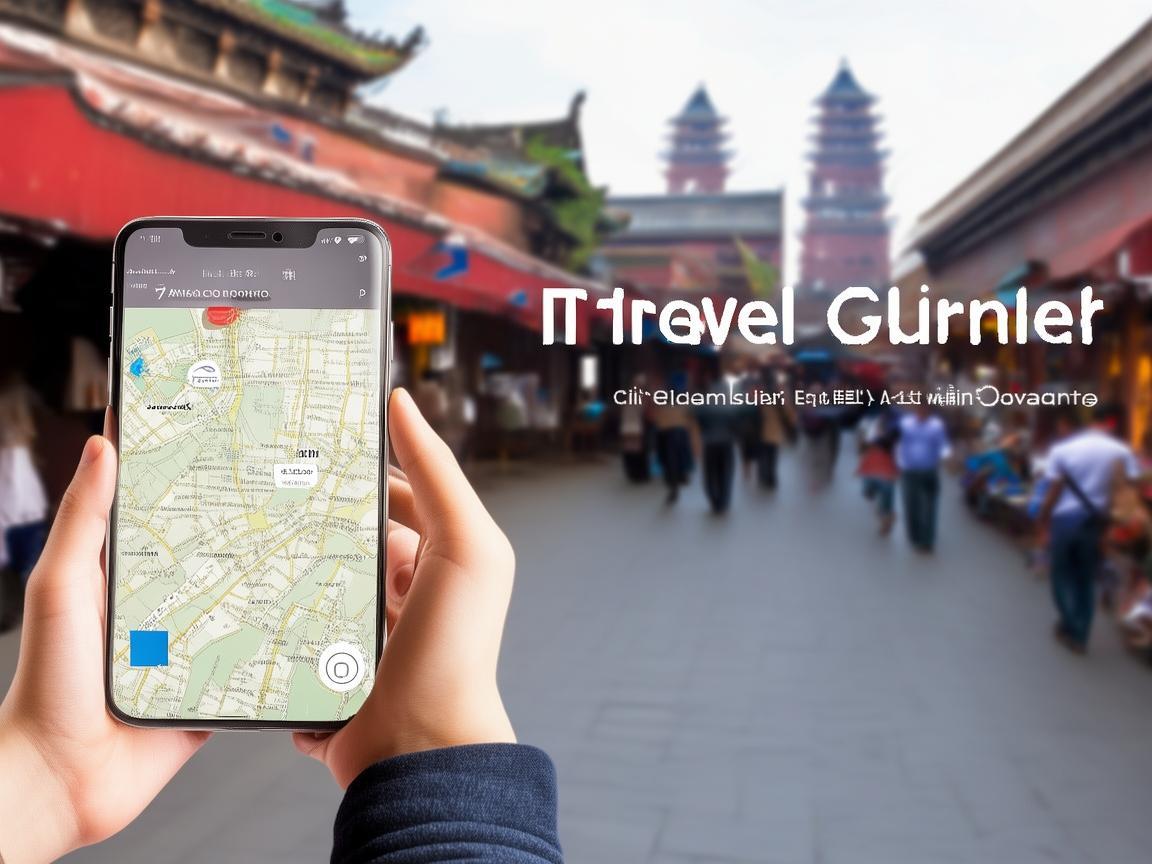
Xi’an Travel Guide: How to Stay Connected with SIM/eSIM (No More Lost in the Muslim Quarter!)
- Navigation: Apps like Baidu Maps (better for China than Google Maps) are essential for finding hidden alleyways, metro stations, or that hole-in-the-wall dumpling spot your friend recommended.
- Payments: Most small vendors, street food stalls, and even taxis use WeChat Pay or Alipay. Without a local number, setting these up is a pain (you’ll need a Chinese bank account or a friend to help).
- Translation: Real-time translation apps (like iFlyTranslate or Baidu Translate) are lifesavers when bargaining at the Muslim Quarter or ordering food with a non-English menu.
- Emergency: If you get lost, need to call your hotel, or check train times, a local SIM is way more reliable than hunting for public Wi-Fi.
Option 1: Physical SIM Card – The “Old Reliable”
A physical SIM card is the classic choice, and for good reason: it’s widely available, works on almost any phone (even older models), and requires zero tech setup. Here’s what you need to know:
Which Carrier to Choose?
China has three major carriers: China Mobile, China Unicom, and China Telecom. For tourists, China Mobile is your best bet. It has the widest coverage across Xi’an (especially in rural areas outside the city, like the Terracotta Army pits) and the most affordable tourist plans. China Unicom is a close second, but its signal can be spotty in some historic districts. China Telecom is great for 5G but has fewer stores, making it harder to top up.
What’s the Best Tourist Plan?
At Xi’an Xianyang International Airport (XIY), you’ll find China Mobile and China Unicom counters in the arrival halls (before immigration). They offer prepaid “tourist SIMs” with 7-day, 14-day, or 30-day plans. I picked the 7-day “Global Tourist SIM” from China Mobile for ¥99 (≈$14), which included:
- 100GB of high-speed data (plenty for maps, social media, and video calls)
- 100 minutes of domestic calls
- Free access to WeChat, Douyin (TikTok), and Baidu Maps (no extra “app data fees” like some carriers charge)
Pro tip: Ask the staff to activate “international roaming” for incoming calls—so your family back home can reach you in an emergency (though outgoing calls to other countries are pricey, so use WhatsApp instead).
How to Buy a SIM Card
- At the Airport: Easiest option. Bring your passport (you’ll need to show it for registration). The staff speaks basic English and will help you insert the SIM card into your phone.
- In the City: If you miss the airport counters, head to any China Mobile or China Unicom store (they’re everywhere—even in shopping malls like the Big Goose Pagoda Plaza). You’ll need your passport and a copy of your visa (or entry stamp).
- Convenience Stores: Some 7-Eleven or Watsons stores sell SIM cards, but the plans are pricier and have less data. Skip these unless it’s an emergency.
Potential Hiccups
- Phone Compatibility: Make sure your phone isn’t locked to a carrier back home (most unlocked phones work fine). If your phone uses a nano-SIM, micro-SIM, or eSIM, China Mobile has all sizes—just ask!
- Registration: By law, all SIM cards in China must be registered to your name. Don’t worry—the staff will handle this, but it takes 5-10 minutes.
Option 2: eSIM – The “Tech-Savvy” Choice
If you have a newer phone (iPhone XS/XR or later, Google Pixel 3 or later, Samsung Galaxy S20 or later), an eSIM is a game-changer. No fumbling with tiny SIM cards, no trips to physical stores—just a QR code and 5 minutes of setup. But before you jump in, check compatibility:
Which Phones Support eSIM in China?
Not all eSIM-friendly phones work in China. Apple iPhones (iPhone 11 and later) are the most reliable—Apple officially supports eSIM activation with China Mobile and China Unicom. Google Pixels and Samsung Galaxys can work, but some models have issues with Chinese carrier networks (double-check with your manufacturer).
How to Get an eSIM for Xi’an
- Buy Online Before You Leave: Sites like Airalo, Holafly, or China Mobile’s official website sell eSIM packages for China. I used Airalo and bought the “China Tourist eSIM” for $19, which gave me 10GB of data for 7 days (enough for light use, but I wish I’d gotten the 20GB plan for $29).
- At the Airport: China Mobile has a “Digital Counter” at XIY where you can scan a QR code to activate an eSIM. It’s convenient, but the lines can be long—arrive early!
- In the City: Some China Mobile flagship stores (like the one at South Street) offer eSIM activation, but you’ll need to speak Mandarin or bring a translator.
eSIM Pros and Cons
Pros:
- No physical SIM to lose (I’ve dropped three SIM cards in my life—never again).
- Instant activation (once you scan the QR code, you’re online in 2 minutes).
- Great for switching between carriers (if one has bad signal, you can switch to another without changing SIMs).
Cons:
- Compatibility is key: If your phone doesn’t support eSIM in China, you’re stuck.
- Data limits: Most eSIM tourist plans have less data than physical SIMs (Airalo’s 20GB plan costs $29 vs. China Mobile’s 100GB for ¥99).
- No voice calls: Most eSIMs are data-only, so you’ll need to use WhatsApp or WeChat for calls.
My Experience: SIM vs. eSIM in Xi’an
I started with a physical SIM from China Mobile (the ¥99 plan) and switched to an eSIM from Airalo halfway through my trip. Here’s the breakdown:
Physical SIM (Days 1-4):
- Pros: 100GB of data meant I could stream Netflix on the metro, use Google Maps nonstop, and even hotspot my laptop for work (oops). The signal was strong everywhere—even in the Terracotta Army parking lot, where my friend’s eSIM (from a different carrier) had no service.
- Cons: Carrying a tiny SIM card stressed me out. I kept worrying I’d drop it in my lamb skewers (thankfully, I didn’t).
eSIM (Days 5-7):
- Pros: No more SIM card anxiety! Activating it took 3 minutes, and I loved switching between data and my home carrier (so I could text my mom without paying international fees).
- Cons: 10GB of data ran out fast. By Day 6, I had to limit my Instagram stories and rely on public Wi-Fi (which is slow in the Muslim Quarter). Also, no voice calls—when my hotel called to confirm my checkout time, I missed it because I didn’t have a local number.
Final Verdict: Which One Should You Choose?
- Pick a physical SIM if: You have an older phone, need lots of data, want voice calls, or are worried about compatibility. China Mobile’s ¥99 plan is the best value for money.
- Pick an eSIM if: You have a newer iPhone, prefer no-fuss setup, and don’t need more than 20GB of data. It’s great for light travelers who just need maps and messaging.
Bonus Tips for Staying Connected in Xi’an
- Download Apps Before You Leave: WeChat, Baidu Maps, and Alipay are essential. You can set up Alipay/WeChat Pay with a foreign credit card, but it’s easier with a local SIM (the apps load faster).
- Public Wi-Fi is Unreliable: Most hotels and cafes have free Wi-Fi, but it’s slow and requires a phone number to verify (annoying). Don’t rely on it for navigation.
- Top Up Your Balance: If you run out of data, you can top up via China Mobile’s app (scan the QR code on your SIM card to download it) or at any convenience store.
- Keep a Backup: Download offline maps of Xi’an on Google Maps (just search “Xi” offline maps” before you lose service).
Xi’an is a city that demands to be explored—no more staring at your phone, frustrated by “no service.” Whether you go with a physical SIM or an eSIM, getting connected is the first step to unlocking all the magic this ancient city has to offer. Now go eat that roujiamo, climb those city walls, and get lost (on purpose—you’ll find the best spots that way). Just stay connected, okay?
Safe travels, and za jian (see you) in Xi’an!
Xi’an Airport Transfer Service
Private English-speaking driver service in Xi’an operated directly by Bruce Zhang. 24/7 airport pickup and hotel transfer for foreign travelers.
Helpful for Your Trip in Xi’an
China SIM vs. Pocket WiFi: A Traveler’s Guide for Xi’an
2026-07-29Xi’an Travel Tips: Activating Your SIM Card at China’s SIM Activation Centers
2026-07-29Unlocking Xi’an: How a China SIM Card Made My Trip Efficient and Hassle-Free
2026-07-29Xi’an Travel Tips: A Tourist’s Guide to China SIM Cards (and Why They’re a Lifesaver)
2026-07-29Traveling Xi’an Like a Local: Why a China SIM Card Is Your Ultimate Travel Lifeline
2026-07-29Your Ultimate Guide to China SIM Connectivity for a Seamless Xi’an Trip
2026-07-28Your Ultimate China SIM App Guide: Navigating Xi’an Like a Local
2026-07-27China SIM: My Lifeline for Seamless Travel in Xi’an
2026-07-27Xi’an Travel Guide: Staying Connected with China SIM for a Hassle-Free Trip
2026-07-27Navigating Xi’an: A Traveler’s SIM Card Troubleshooting Guide
2026-07-27